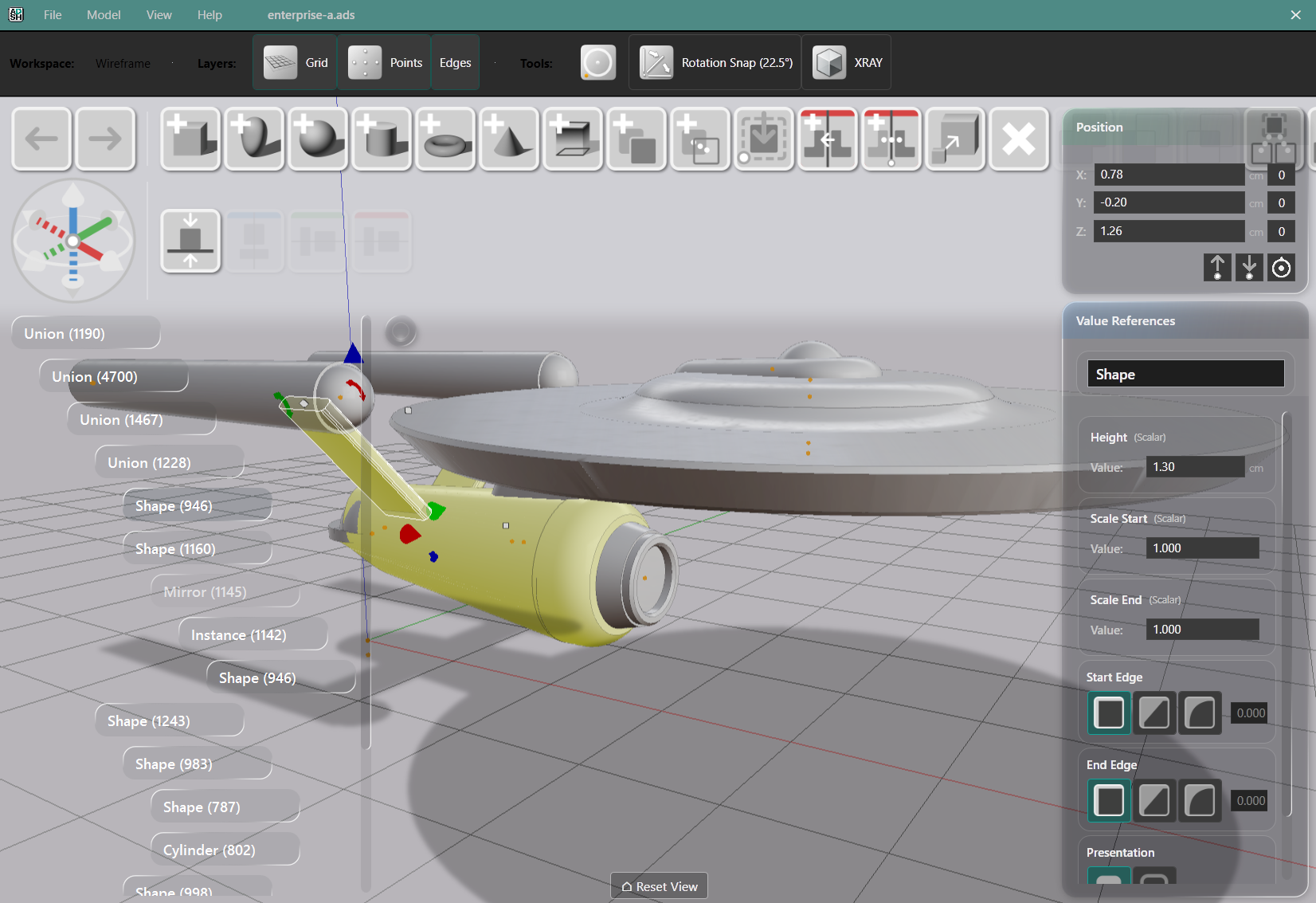
AdaShape alpha 0.1.7 is out.
The headline feature is Deep Edit — you can now reach inside any grouped object and interact with its parts directly in the 3D viewport.
Deep Edit
Cuts and joins, packs, and clones create composite objects. Previously, editing a sub-part meant dismantling the composite, editing, and rebuilding. Now you can just point and click at the sub parts.
Select a composite, enter Deep Edit, and a floating hierarchy overlay shows the internal structure. Hover over a card to highlight its geometry. Hover over geometry to highlight the card. Select a sub-component and the Value References and Position Editor update to show that part’s parameters — editable in place, with the boolean result updating live.
Clone and copy operations can be used to pick out sub-parts individually.
The tree view can be toggled on/off.
Non-Destructive Boolean Profiles
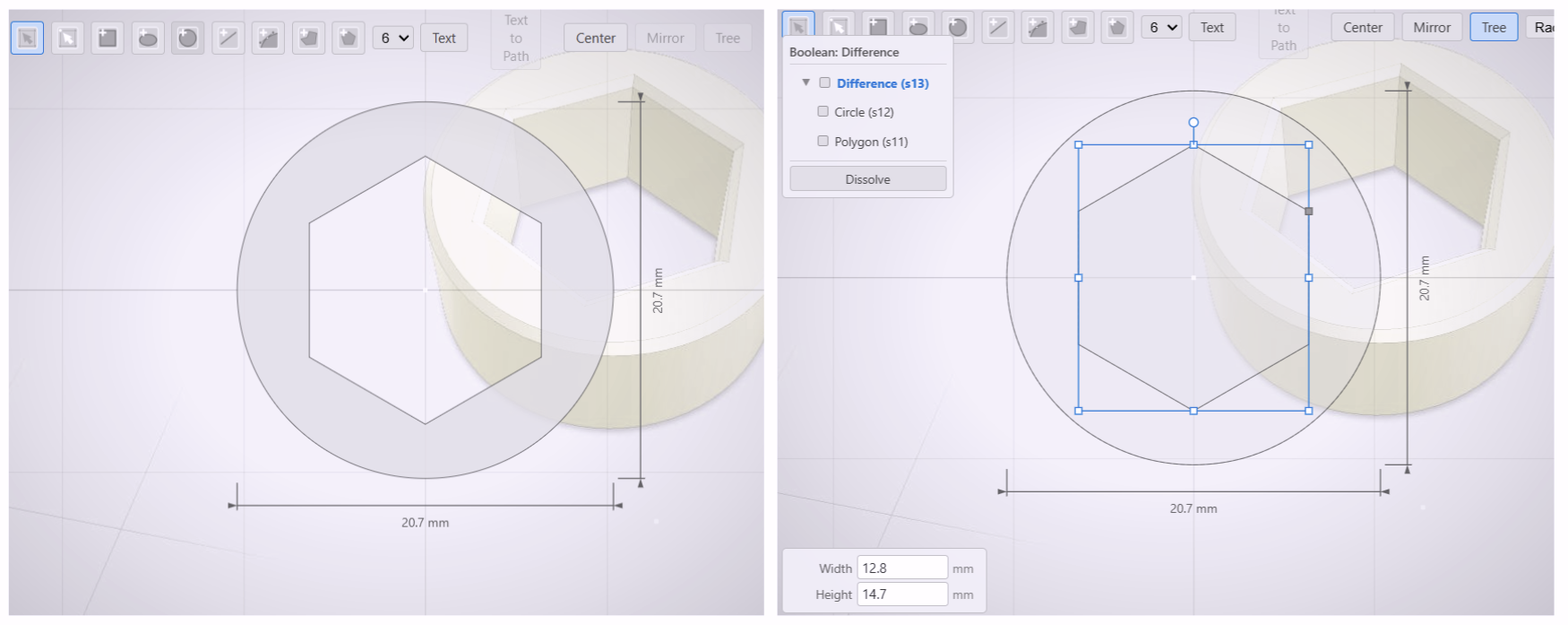
“Boolean” means: combine shapes, or cut one with another. That’s it. It’s named after a 19th century mathematician who never imagined the operation would be used to cut holes in spaceship models.
The Shape Editor now applies the same principle to 2D profiles. Boolean operations between shapes preserve their source geometry — no information is discarded at creation.
Toggle Tree mode to see component shapes as editable cards. Select and reposition sub-parts, watch the result re-evaluate. Double-click a boolean child to drill into nested structure, navigate back with the breadcrumb. Edge treatment — radius, distance, full corner rounding — applies to boolean results. Dissolve recovers the source shapes.
Profile Dimensions and Engineering Annotations
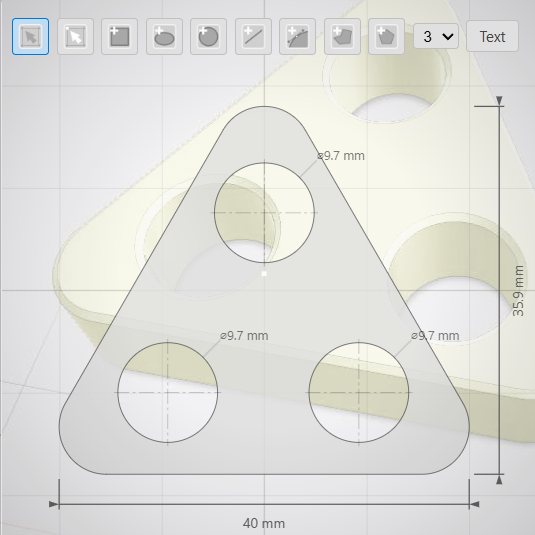
The Shape Editor now shows dimension lines — width, height, circle radius, hole diameter. Corner radii are marked.
Display Units
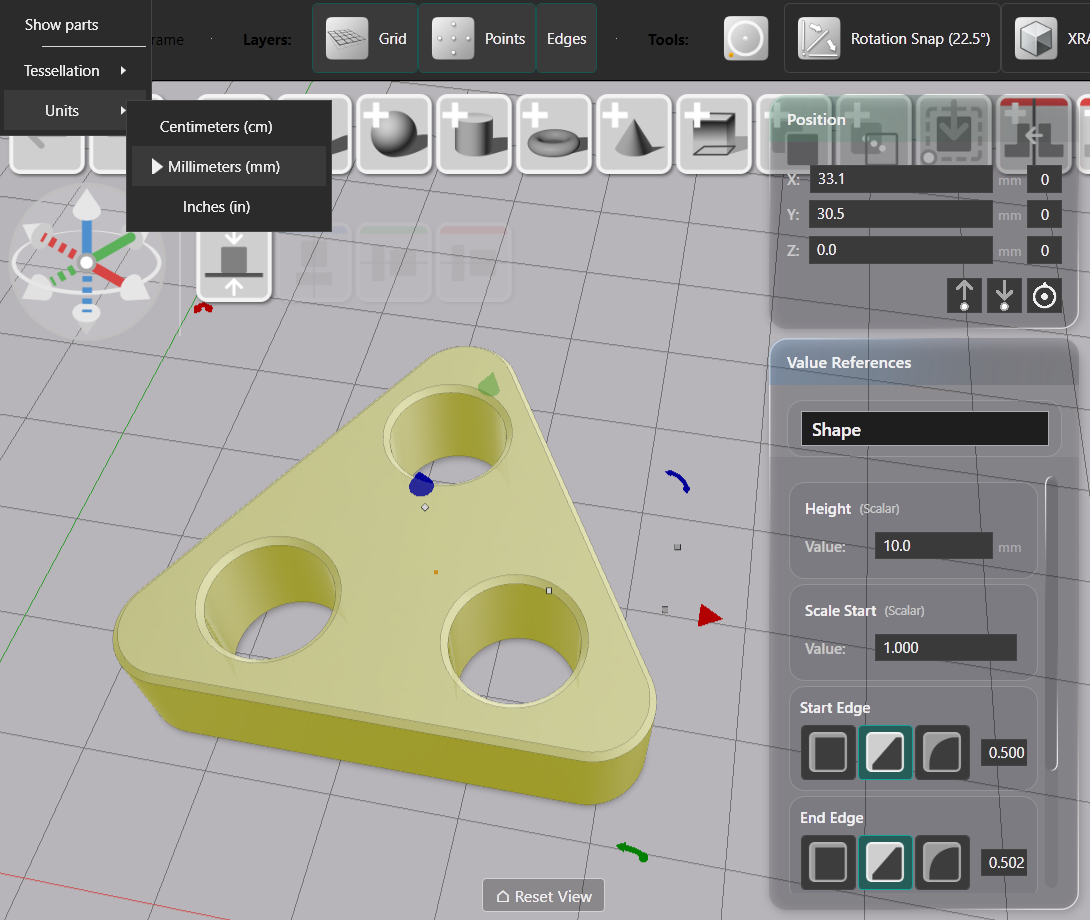
Model → Units switches between mm, cm, and inches. All numeric panels update — Value References, Position Editor, Shape Editor. Just changes how the numbers display — your design doesn’t change.
STEP Import
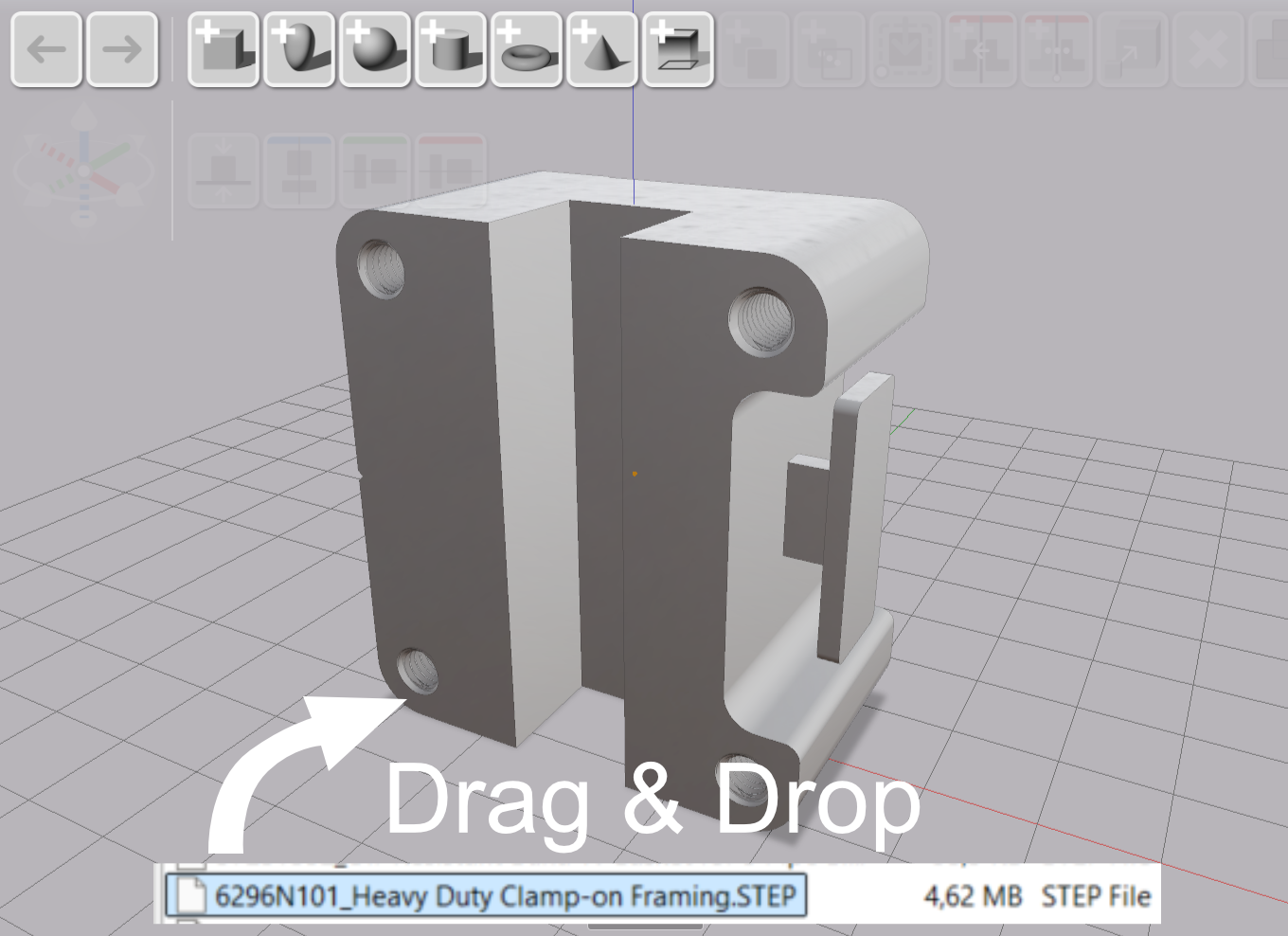
STEP files are a standard engineering format — drag one in and AdaShape converts it into a 3D shape you can scale, cut, and combine with your own geometry. Editing the original STEP data is not yet supported.
Instance Names
Entities now carry names. Primitives get automatic names (Box, Sphere); imports use the filename. Names are editable in the Value References panel and visible in the Parts Tree. Clone, copy, boolean, and unpack operations propagate names.
Also in 0.1.7
Value References and Position Editor sidebars have a new frosted-glass visual treatment. Regular polygons in the Shape Editor now support edge treatment, matching polylines.
Bug fixes: boolean circle-from-circle geometry, delete-after-click-select reliability, proportional full edge treatment distribution.
To try this out: