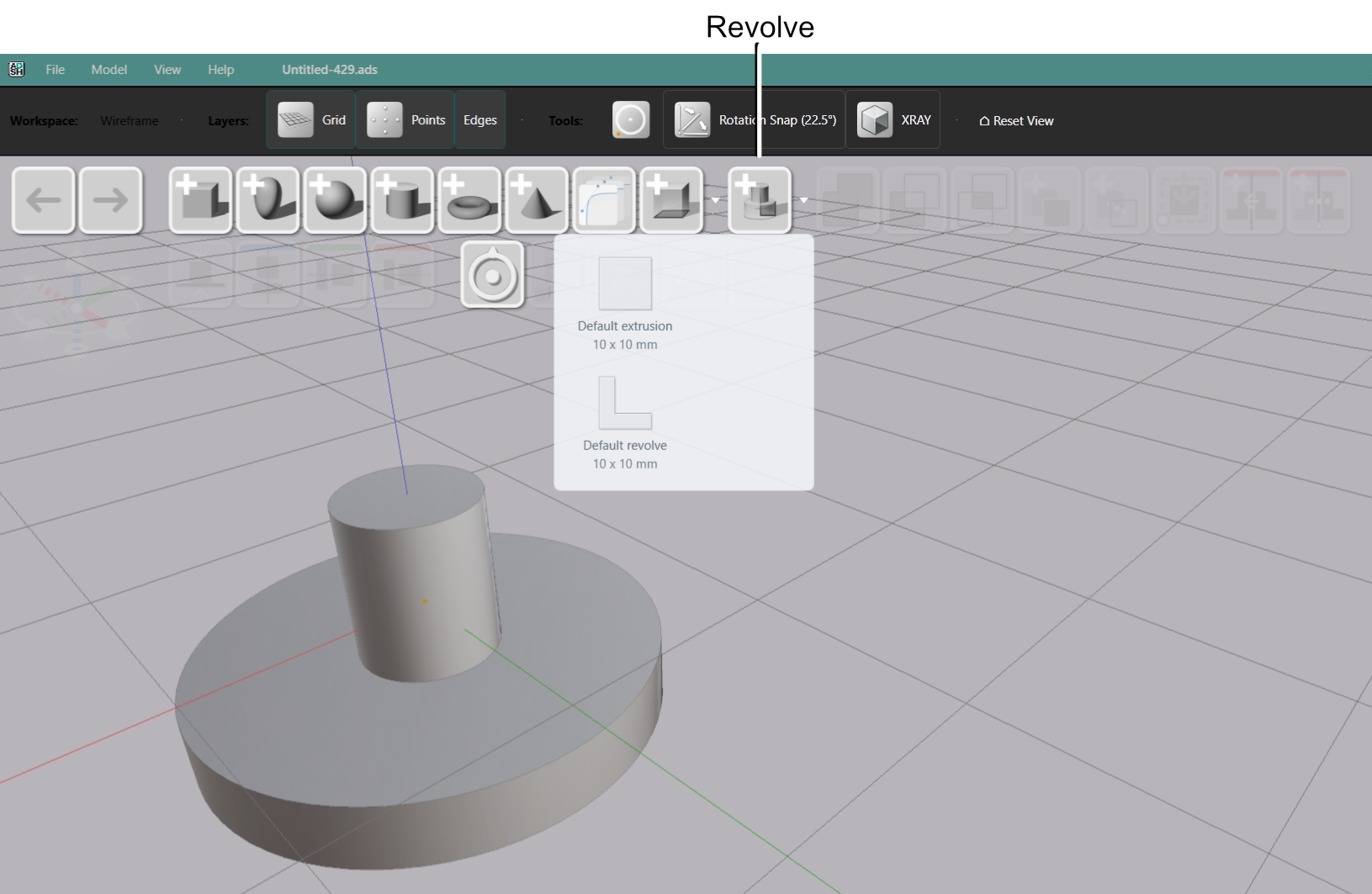
AdaShape alpha 0.1.8 is out.
- Download the free alpha testing version on GitHub.
- See what’s new in 0.1.8: 0.1.8 New Features Video
We have two new major features: Revolve shape and Drawing Browser. Revolve is a shape defined by rotating a drawing profile around an axis, that allows modeling vases, wheels and knobs. Drawing Browser allows you to browse through your cross section drawings and reuse them across shapes.
Existing features are also improved. Shape creation is faster and deep edit tree navigation is more fluid. Deep edit tree cards can be toggled on and off to hide complex assemblies and simplify editing.
Revolve
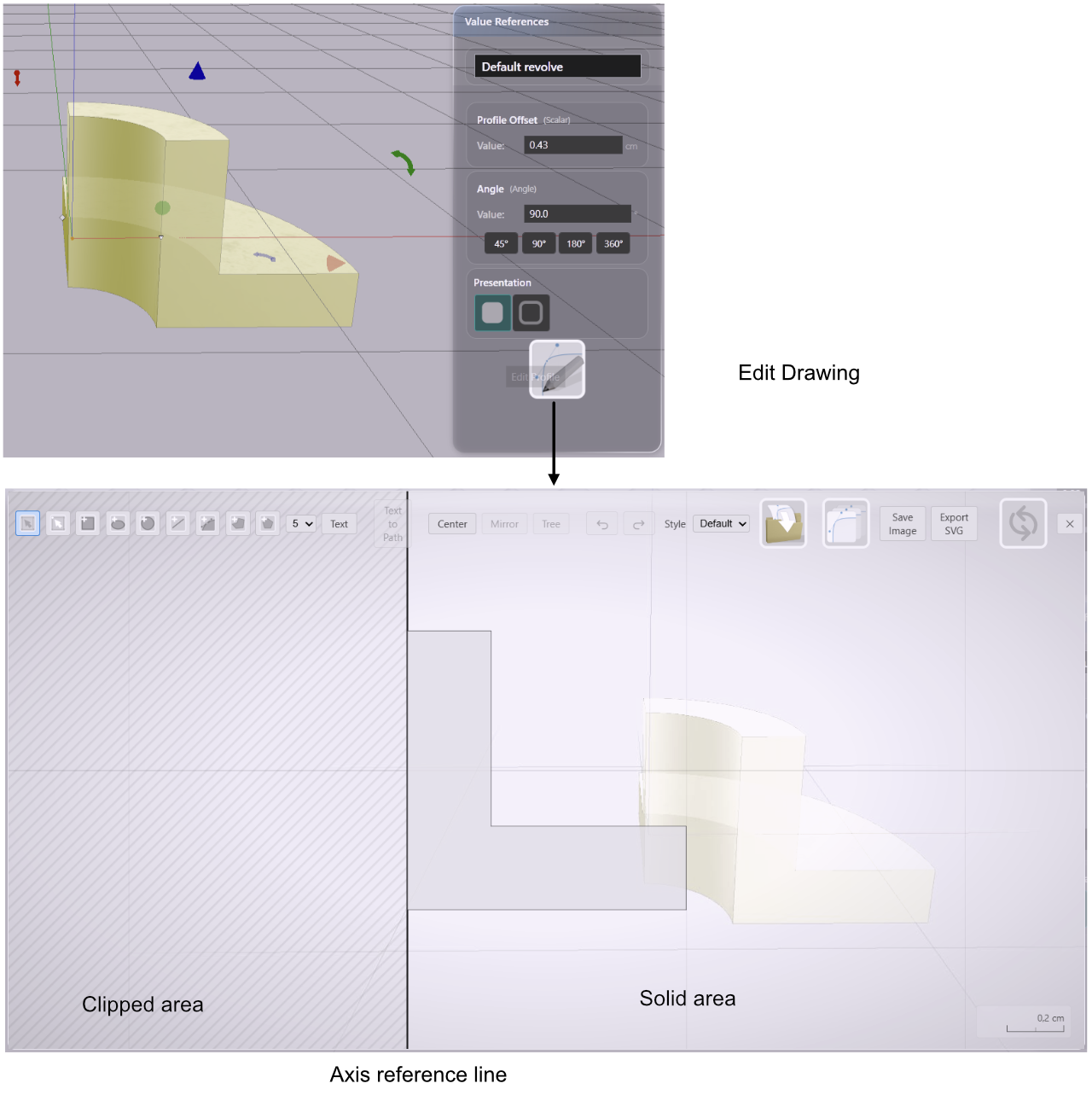
Draw a profile in the Drawing Editor, press Revolve, and the cross-section sweeps around the vertical axis. Bottles, wheels, vases, knobs, pulley flanges — anything that a lathe would cut from a profile.
The Drawing Editor marks the revolution axis with a dark vertical line. Profile offset moves the entire cross-section away from that line — useful for rings and hollow forms where you want to control the gap at the center.
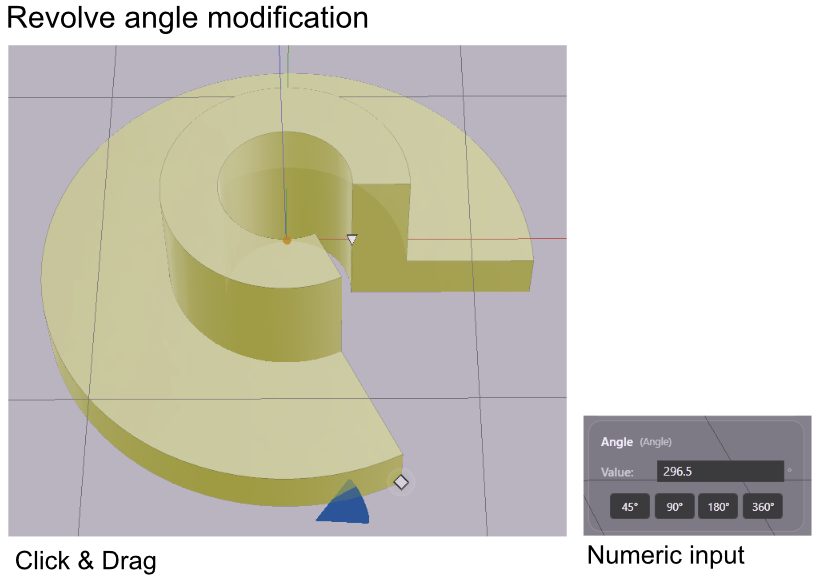
Angle sets the sweep extent. Drag the handle on the outer edge of the shape, type a value directly, or use the preset buttons: 45°, 90°, 180°, 360°.
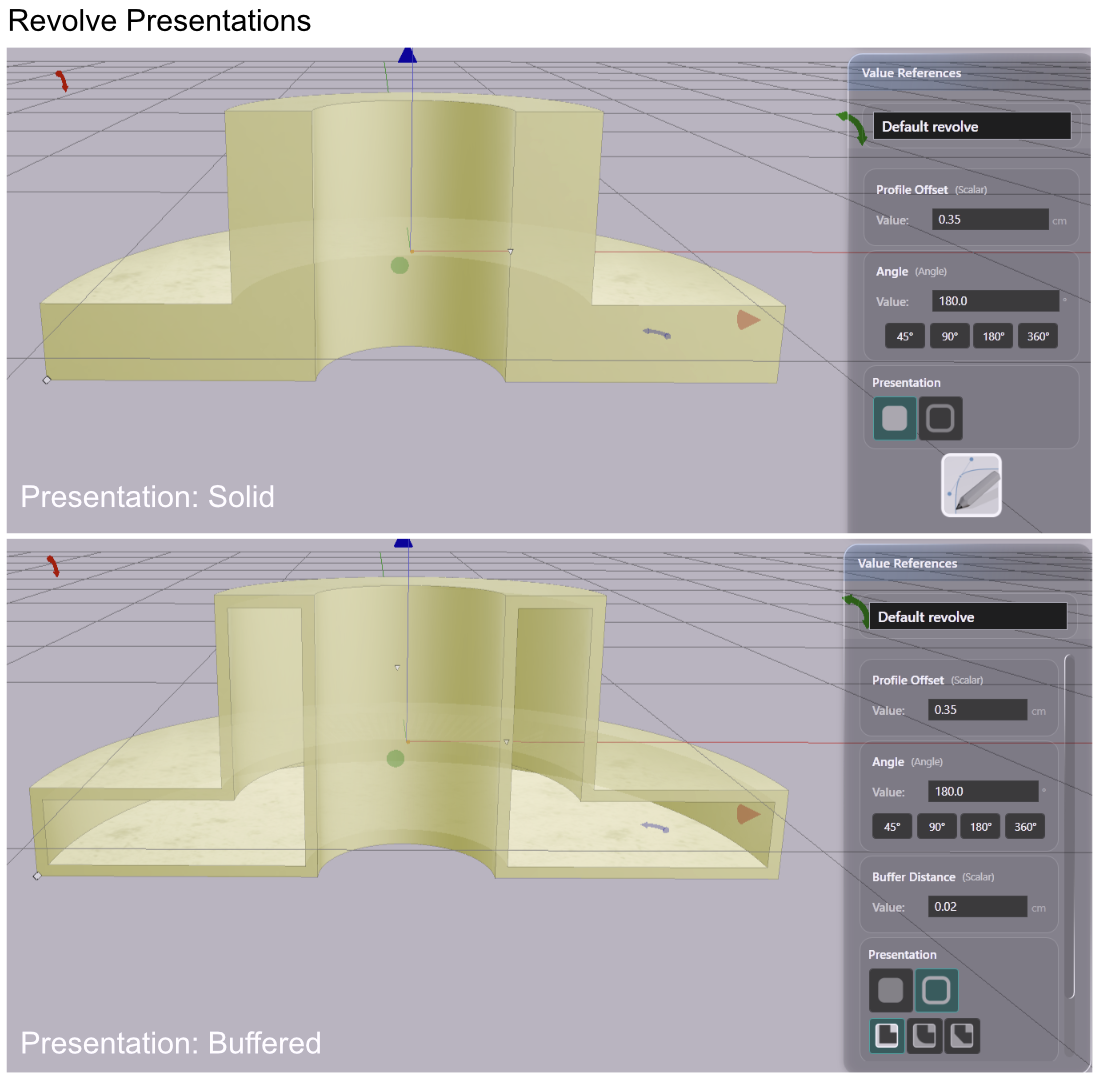
Like extrusions, revolves support Solid and Buffered presentations. Buffered treats the drawing lines as centerlines of a shell — drag the buffer distance handle to set wall thickness. Corner styling (Round, Bevel, Miter) applies to the buffered joins.
A revolve can be started from the toolbar button or directly from a profile in the Drawing Browser — the selected profile becomes the cross-section.
Drawing Browser
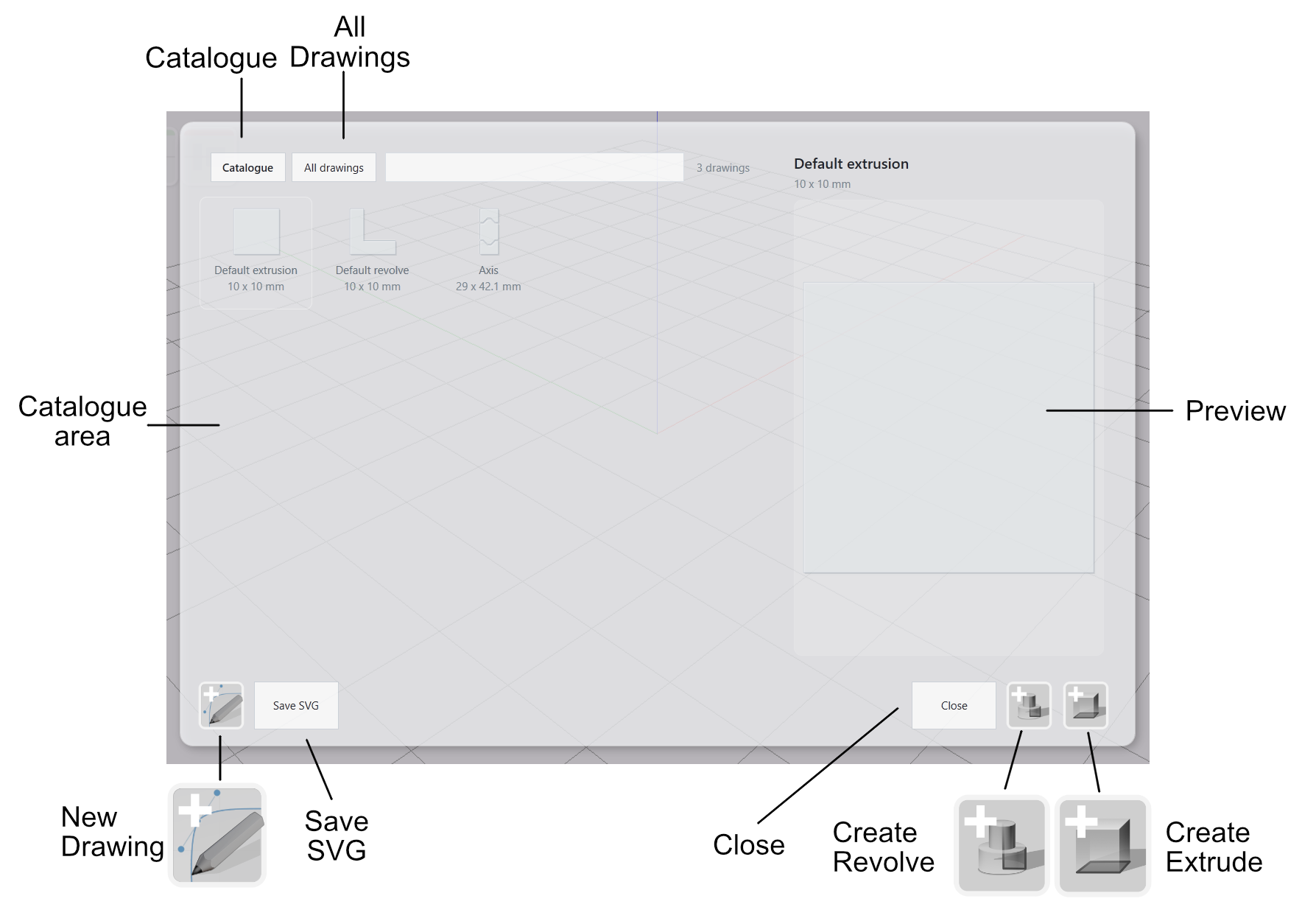
The Drawing Browser shows a catalogue of your saved drawings with previews and dimensions. From the catalogue you can create a new extrusion or revolve from any profile, import a profile into the active Drawing Editor, or export any profile as SVG. The Drawing Editor gains a button for adding the current profile to the catalogue, and imported SVGs are catalogued automatically using the source filename. Default profiles for both extrusion and revolve are included.
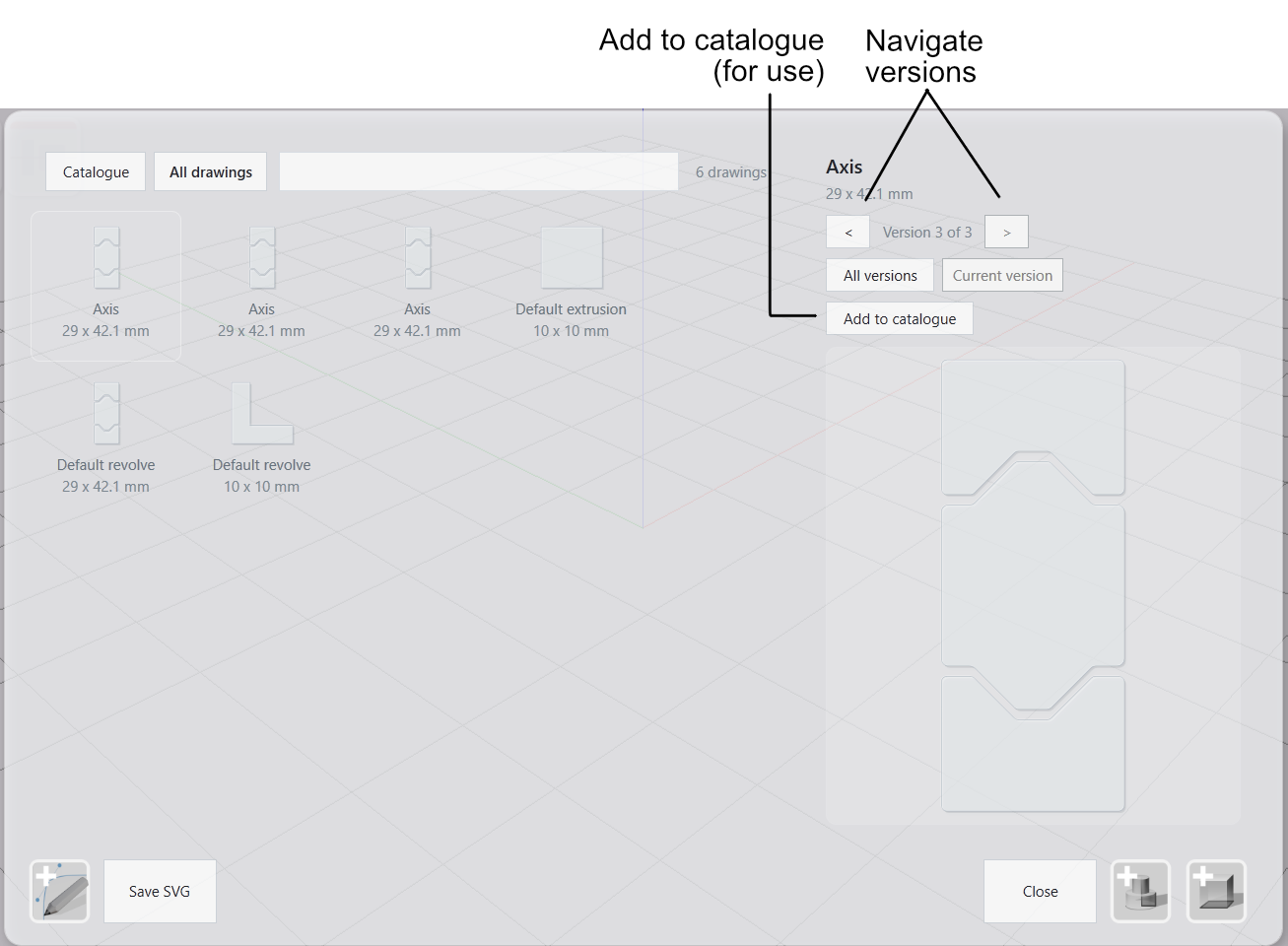
All Drawings goes further — it lists every drawing that has ever existed in the model, including earlier versions of profiles you’ve since changed. Browse versions, pick any into the catalogue. The model history is untouched.
Measure-Accurate SVG
SVG export now includes physical dimensions: width and height in millimeters alongside the viewBox. Open an exported file in Illustrator or Inkscape and it arrives at the correct physical size, with no rescaling step.
Import is symmetric: an SVG that provides unambiguous physical dimensions (mm, cm, m, or in) lands at its authored scale. SVGs without explicit physical dimensions continue to auto-fit as before.
Deep Edit Tree Toggle
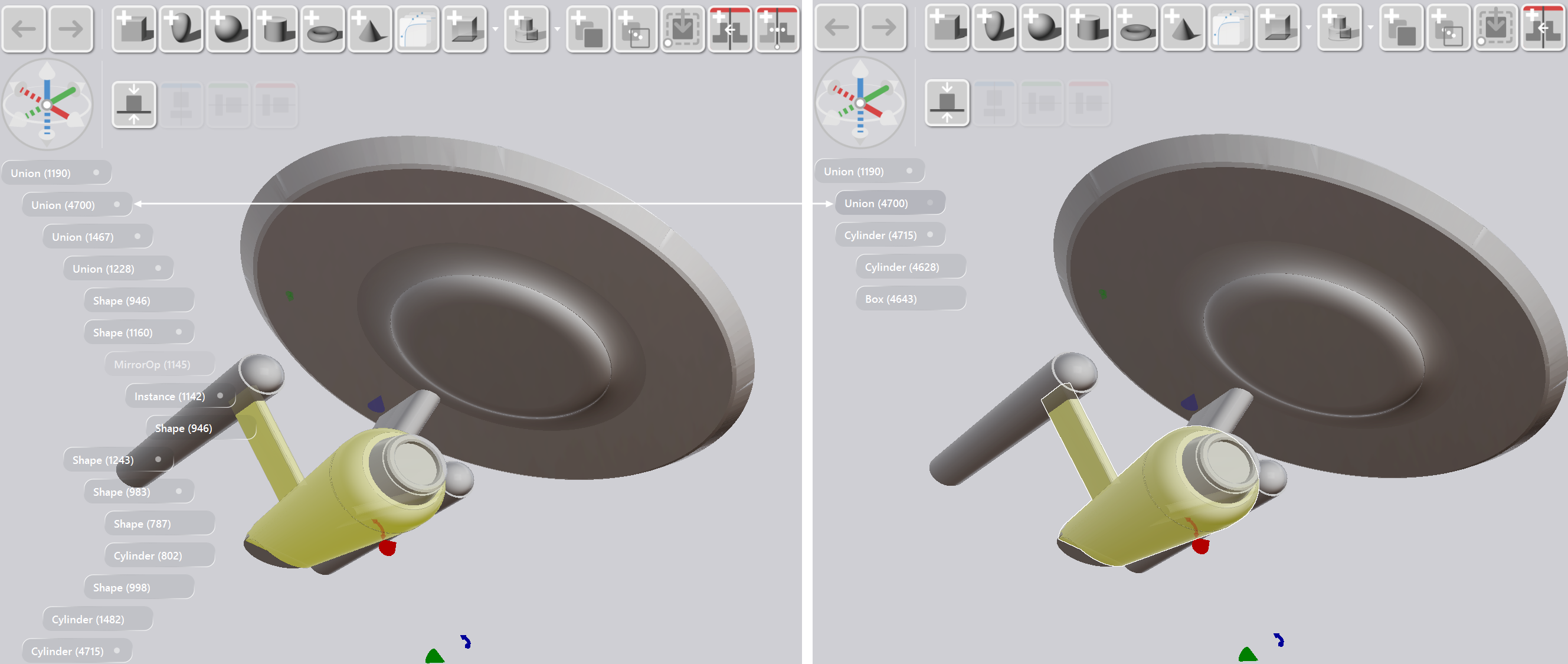
Each node in the Deep Edit hierarchy tree now has a per-node toggle. Disable a subtree and its children collapse from both the tree and the 3D preview — useful when you’re editing one part of a complex assembly and the rest is visual clutter. The toggle state persists across sessions. The root toggle controls the entire hierarchy.
Also in 0.1.8
The Shape Editor is now the Drawing Editor throughout the UI. “Drawing” matches the product language for 2D assets; “shape” continues to name the 3D entity (extrusion, revolve, etc.).
Explode as Linked is removed from the toolbar. Deep Edit replaces it — drill into a boolean or pack to edit sub-components in place. Explode as Copies remains when you need independent geometry.
Reset View moved from the floating viewport overlay to the workspace toolbar, alongside the other workspace controls.
Bug fixes: stale geometry after model switch, Freeze to Mesh position and mesh, Deep Edit performance, complex model rendering.
To try this out: