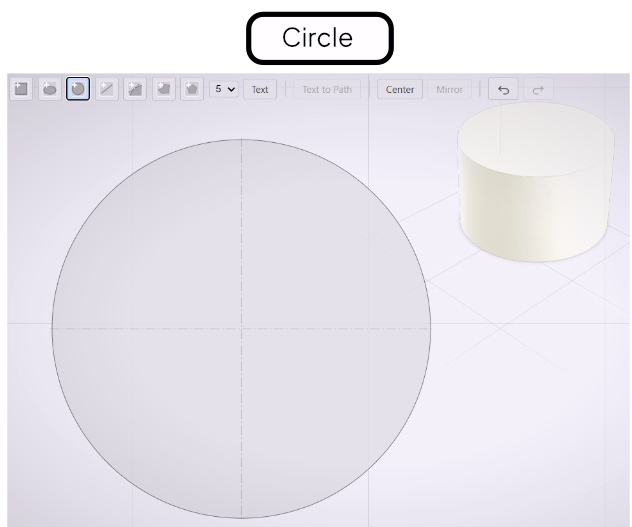
Circle Tool
Draw perfect circles with automatic centerline annotations.
The Circle tool draws perfect circles. The radius is uniform in all directions and cannot be scaled non-uniformly — use the Ellipse tool if you need an oval.
Drawing a Circle
Select the Circle tool from the toolbar. Click to set the center point, then drag outward to set the radius. Release to place the circle.
Centerline Annotations
Centerline annotations appear automatically through the center of every circle. They follow ISO 128 chain-line style — a horizontal and a vertical line crossing at the center. These annotations are display aids; they do not affect the extruded geometry.
Keeping Circles Uniform
Scaling a circle non-uniformly is not permitted. If you need a different width and height, switch to the Ellipse tool. This constraint ensures that any circle in your profile always represents a true circular cross-section.