Solid and Buffered Style
Choose between a filled Solid revolve or a hollow Buffered shell with configurable wall thickness.
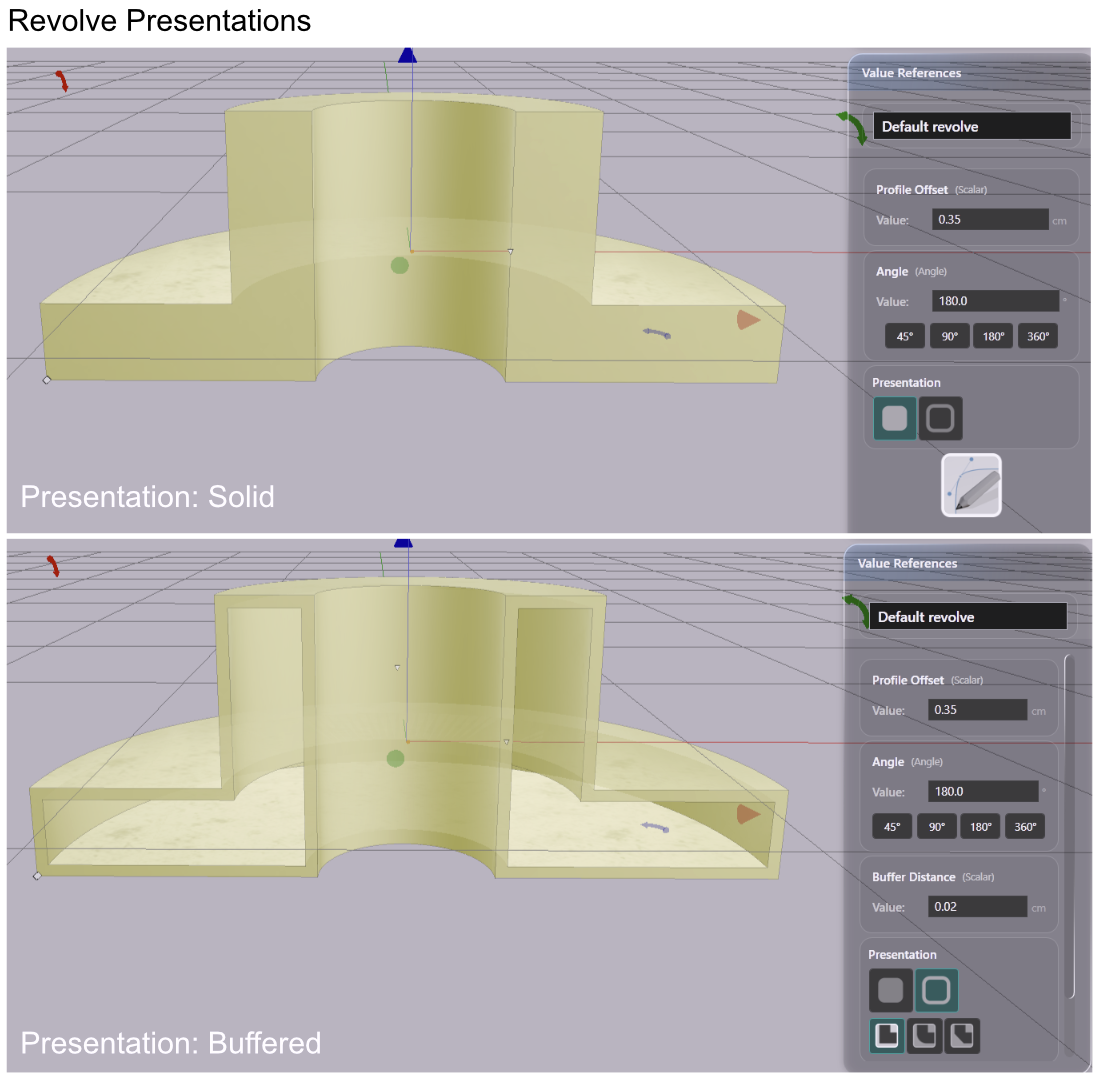
Revolves have two presentation modes: Solid and Buffered. The mode controls how the profile drawing is interpreted before the revolution is computed. The concept is the same as for extrusions — the axis of rotation replaces the axis of extrusion.
Select the revolve, then use the Presentation row in the Value References panel to switch between modes.
Solid Mode
Solid mode revolves the profile as-is. Closed paths produce filled cross-sections — the result is a dense solid of revolution. This is the default for profiles drawn in the Drawing Editor.
Use Solid mode for any profile where the enclosed area should be filled: vases, bowls, wheels, knobs.
Buffered Mode
Buffered mode treats every line in the drawing as the centerline of a wall. Each path is offset outward and inward by the buffer distance before the revolution is computed. The result is a shell — thin walls following the profile lines rather than a filled solid.
Use Buffered mode for open-path profiles, or when you want a hollow shell rather than a filled form.
Buffered Mode Parameters
| Parameter | What it controls |
|---|---|
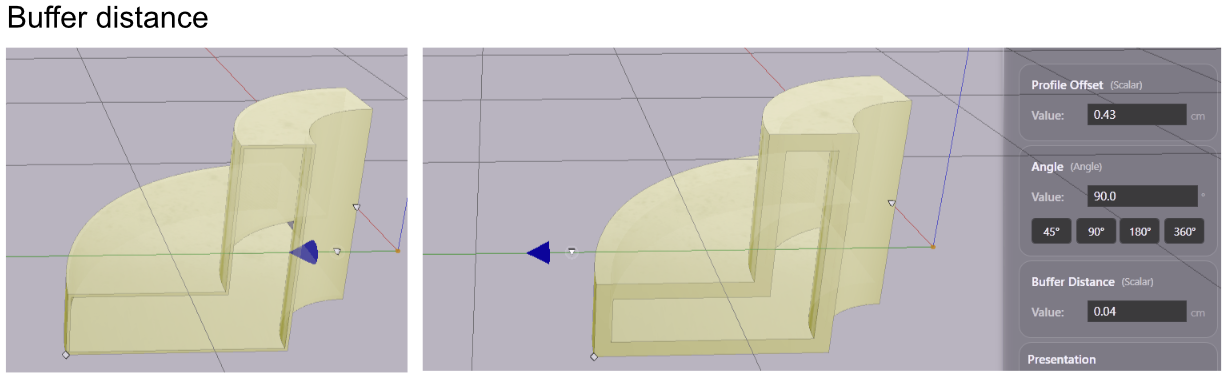
| Buffer Distance | Wall thickness — how far the offset extends from each path centerline |
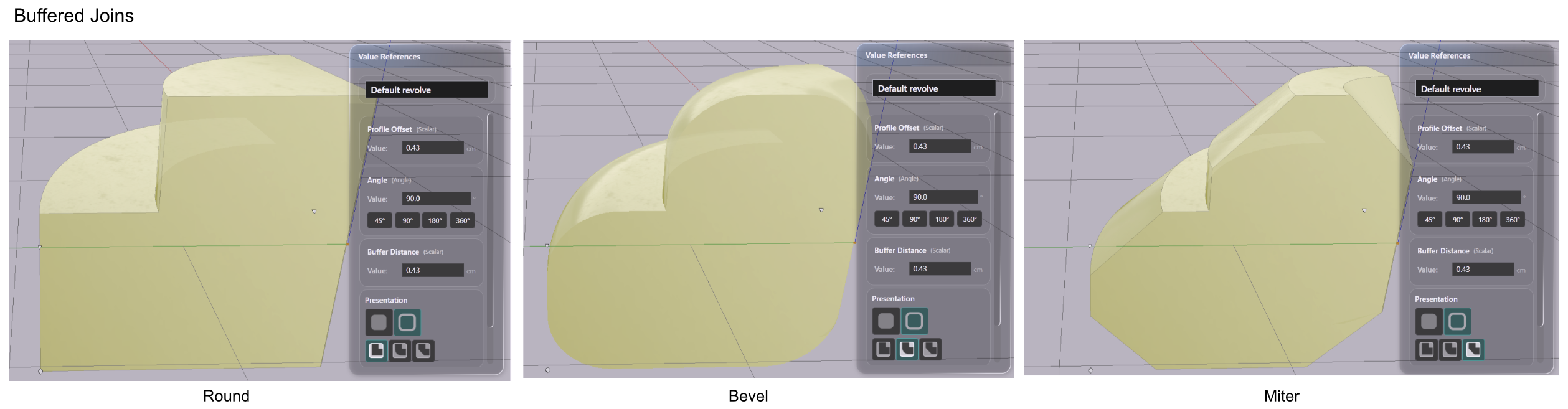
| Join Type | How outer corners are shaped where path segments meet |
Buffer Distance
At low values, the result is a thin shell that closely follows the profile lines. As the value increases, adjacent walls thicken toward each other and may merge into a single mass.
Join Type Options
| Join Type | Result |
|---|---|
| Round | Smooth arc at outer corners |
| Bevel | Flat cut across outer corners |
| Miter | Sharp point where offset edges meet |
The join type affects corners in the profile — places where two path segments meet at an angle. Round is the most forgiving for organic shapes. Miter produces the sharpest corners but can extend far at tight angles.