Curve
Extend a circle or a drawing along a path through points in space — a hook, a handrail, a cable guide.
A curve is a solid 3D shape formed by extending a 2D profile along a path. The path runs through points that you place in space. The profile is a circle or a drawing of your choice. Bent parts start here: a coat hook, a handrail, a cable guide, a length of tubing.
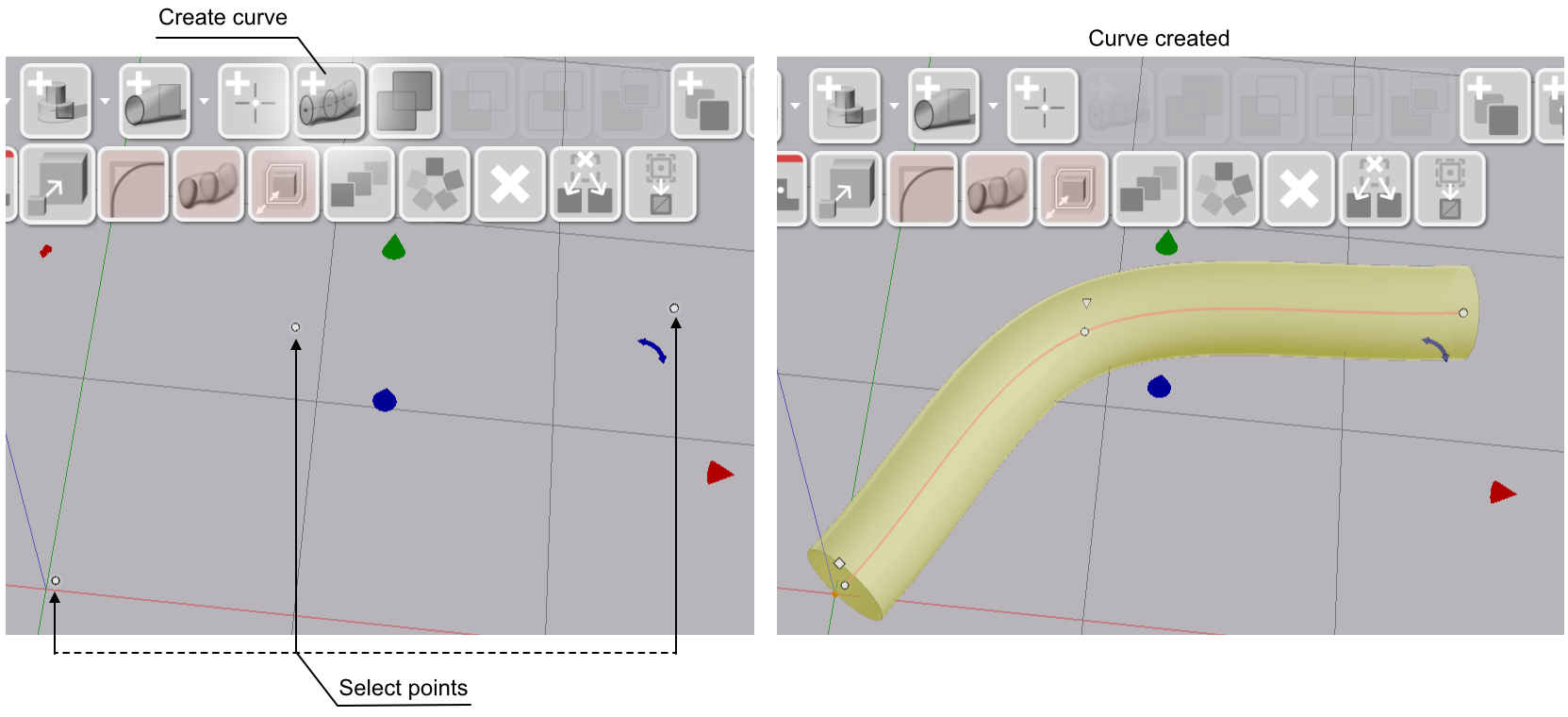
Creating a Curve

- Place two or more points with the Add Point tool.
- Select the points in the order the path should follow. Hold Shift and click each point.
- Click Curve in the toolbar.
The curve runs through the points in selection order. Once the curve exists, its points are hidden from the scene.
Moving a Curve
Select, move and rotate a curve like any other shape. Every placement tool that works on solids works on a curve: the body and axis handles, the rotation rings, alignment to a face, and pasting onto the focus pointer.
The points of a curve stay as reference geometry underneath it. Deleting the curve leaves its points where they were.
Editing the Path
Select the curve and click one of its points. Drag the point to move it, and the curve follows.
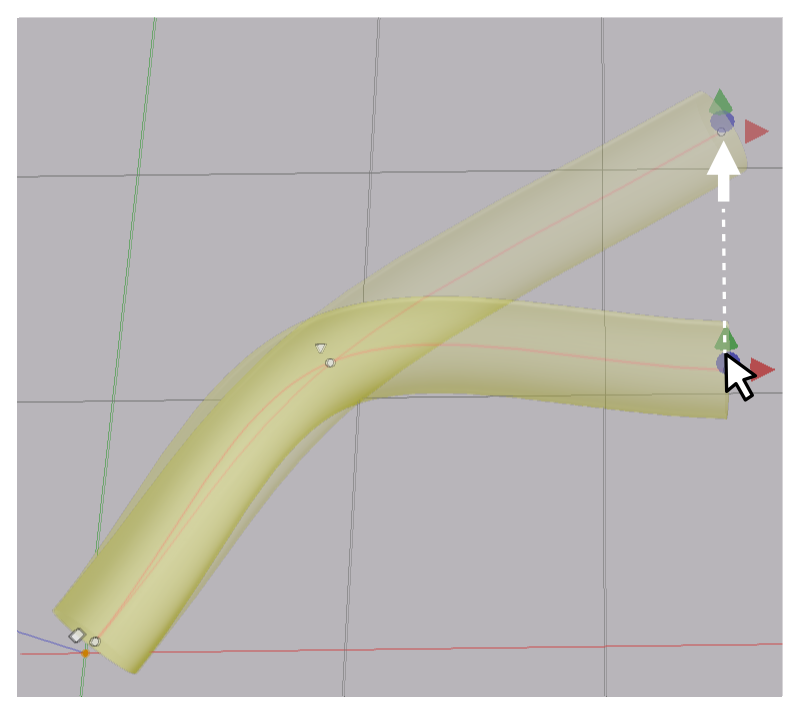
The Curve panel in the sidebar lists the points and lets you reorder, remove and insert them. See Points.
Parameters
Select a curve to see its parameters in the Value References panel. The Profile row sits at the bottom of the Curve panel.
| Parameter | What it controls |
|---|---|
| Mode | Spline for a smooth path, Straight for segments from point to point |
| Roll | Twist of the profile from the first point to the last |
| Radius | Size of a circle profile |
| Scale | Size of a drawing profile, as a multiple of its drawn size |
| Profile | Circle, or a drawing from the catalogue |
In This Section
- Points — place points and edit the point list
- Mode and Roll — smooth or straight path, and twist along it
- Profile — circle or drawing, its size, and what happens at a tight bend
- Points Place points in space with the Add Point tool, and reorder, remove or insert the points of a curve.
- Mode and Roll Choose a smooth spline or straight segments for the path, and twist the profile along it.
- Profile Use a circle or a drawing as the cross-section, set its size, and fix a bend that is too tight for it.