Edge Treatments
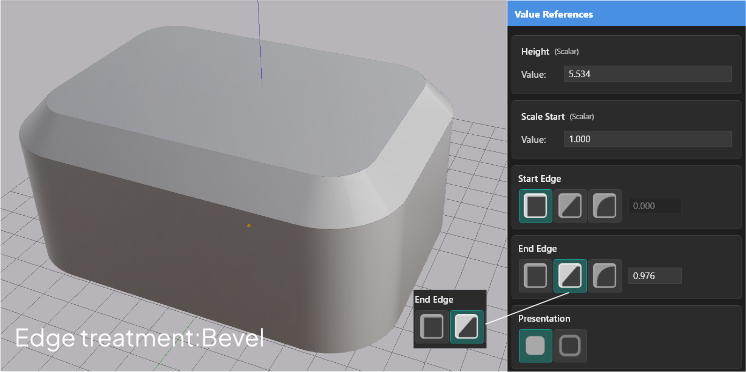
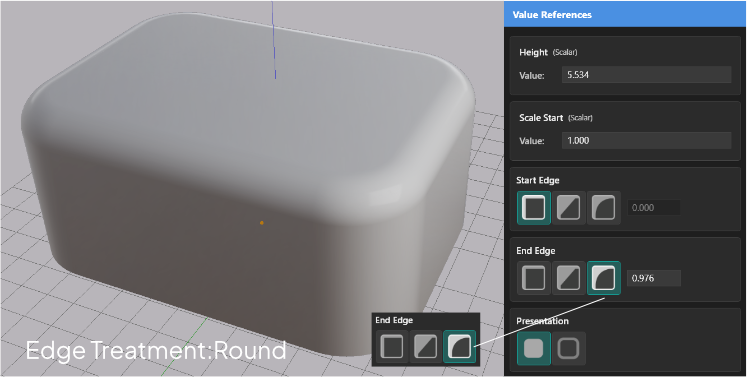
Apply Chamfer or Fillet to the start and end edges of an extrusion for beveled or rounded edges.
Edge treatments modify the geometry at the start and end faces of an extrusion. You can chamfer an edge — a flat bevel cut — or fillet it — a smooth rounded arc. Each end is controlled independently.
Setting a Treatment
Select the extrusion. In the Value References panel, find the Start Edge and End Edge rows. Each row has buttons to select the treatment style: None, Chamfer, or Fillet.
Treatment Styles
| Style | Result |
|---|---|
| None | No treatment — the face meets the side wall at a hard 90-degree edge |
| Chamfer | A flat bevel is cut across the edge at the specified offset distance |
| Fillet | A smooth rounded arc replaces the edge at the specified offset distance |
Independent Ends
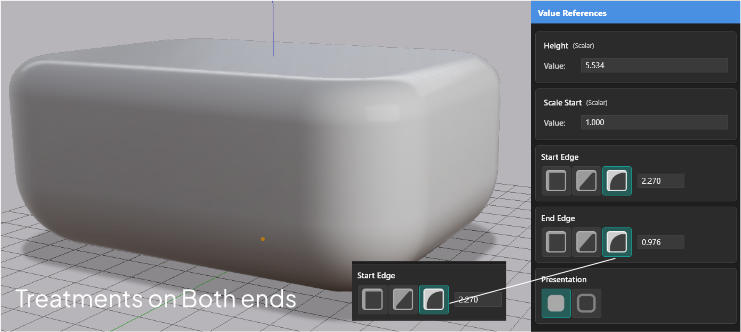
Start and end edges are set separately. You can leave one end untreated, apply the same style to both, or mix styles — chamfer one end and fillet the other.
Adjusting the Offset Distance
When a Chamfer or Fillet treatment is active, a gray rectangle widget appears on that edge. Drag it to change the offset distance — how far the treatment extends from the edge toward the body of the extrusion.
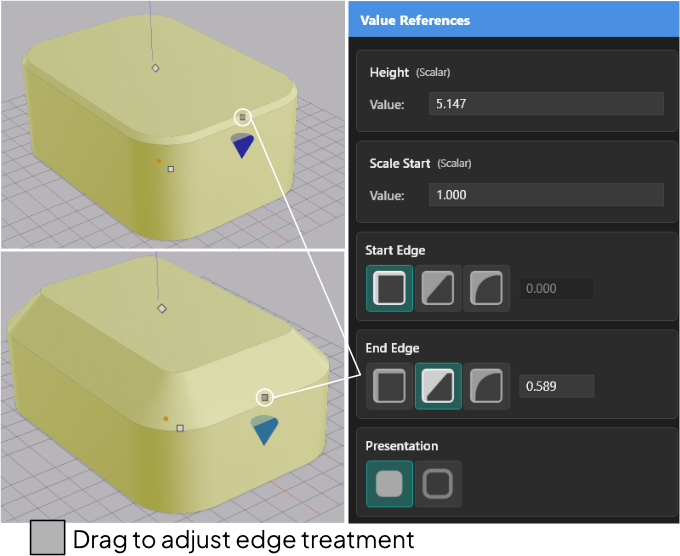
The offset distance is constrained to valid ranges based on extrusion height. You cannot set a treatment offset larger than the geometry can accommodate — the value is clamped automatically.
If both ends have treatments active, each has its own gray rectangle widget on its respective face.
Buffered Extrusions
Edge treatments work on buffered extrusions the same way they work on solid ones. Select the treatment style and adjust the offset — the behavior is identical.