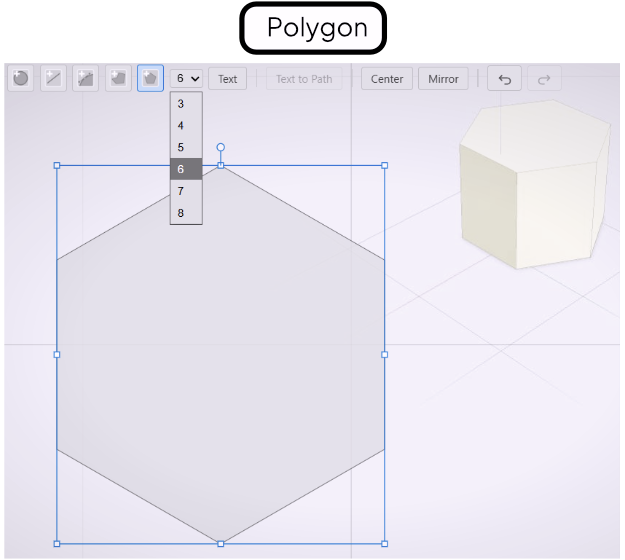
Polygon Tool
Draw regular polygons with 3 to 8 sides, with optional corner rounding.
The Polygon tool draws regular polygons — all sides equal, all angles equal. Choose any number of sides from 3 (triangle) to 8 (octagon) from the toolbar dropdown before drawing.
Drawing a Polygon
Select the Polygon tool and set the number of sides in the toolbar. Click to set the center, then drag to set the size. Release to place the shape. The polygon orients with a flat edge at the bottom.
Edge Treatments
Polygons support the same corner rounding as polylines. After drawing, a treatment handle appears on the canvas. Drag it to round the corners. Three modes are available:
- Radius — applies a uniform arc radius to all corners.
- Distance — applies a uniform offset distance along each edge.
- Full — applies the maximum possible rounding given the edge lengths.
Select the mode in the toolbar and drag the handle to adjust interactively.