Points
Place points in space with the Add Point tool, and reorder, remove or insert the points of a curve.
A point is a coordinate in three dimensions: x, y and z. The path of every curve runs through points.
Adding a Point
Click Add Point in the toolbar. A point appears in the scene. It draws as a dot that keeps its size on screen, and you can see it through shapes. Select and move a point like any other part.
A point cannot be a physical shape on its own.
The Curve Panel
Select a curve. The Curve panel in the sidebar lists its points in path order with their coordinates.
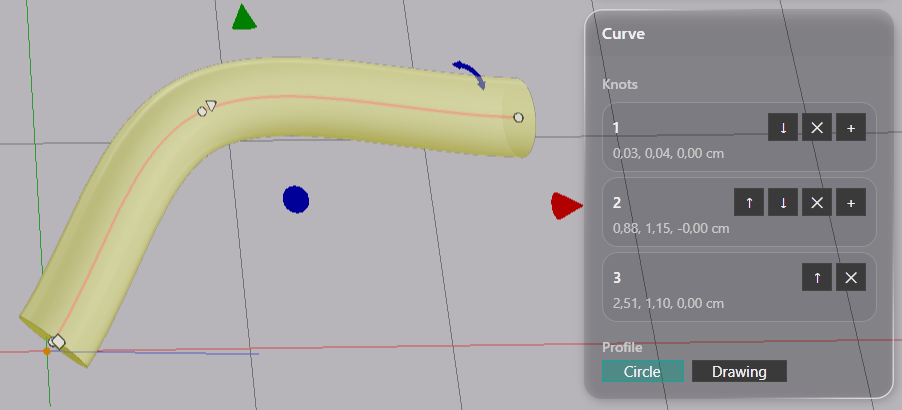
| Button | What it does |
|---|---|
| ↑ ↓ | Moves the point earlier or later in the path |
| ✕ | Removes the point. A curve keeps at least two |
| + | Inserts a new point halfway to the next point |
Note: The last point has no + button, since there is no next point to insert before.
The Profile row at the bottom of the panel selects the cross-section. See Profile.