Linear Array
Repeat a shape along a line between a start point and an end point.
A linear array repeats a shape along a line. You set the start point and the end point of the line, and the array places copies between them. The row of holes on a bracket, the teeth of a comb, the slats of a vent: each is one shape and one array.
Creating a Linear Array

- Select the shape to repeat.
- Click Linear Array in the toolbar.
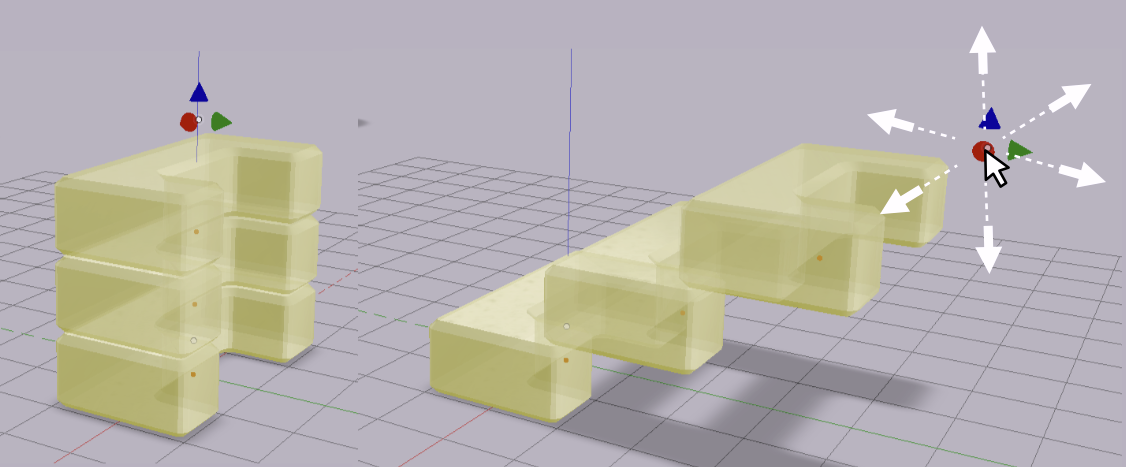
The array appears with its line, and the start point and the end point show as handles. Drag either point to lay the array out in any direction. The copies follow as you drag.
Parameters
Select the array to see its controls in the Value References panel.
| Parameter | What it controls |
|---|---|
| StartPoint | The X, Y and Z position of the start of the line |
| EndPoint | The X, Y and Z position of the end of the line |
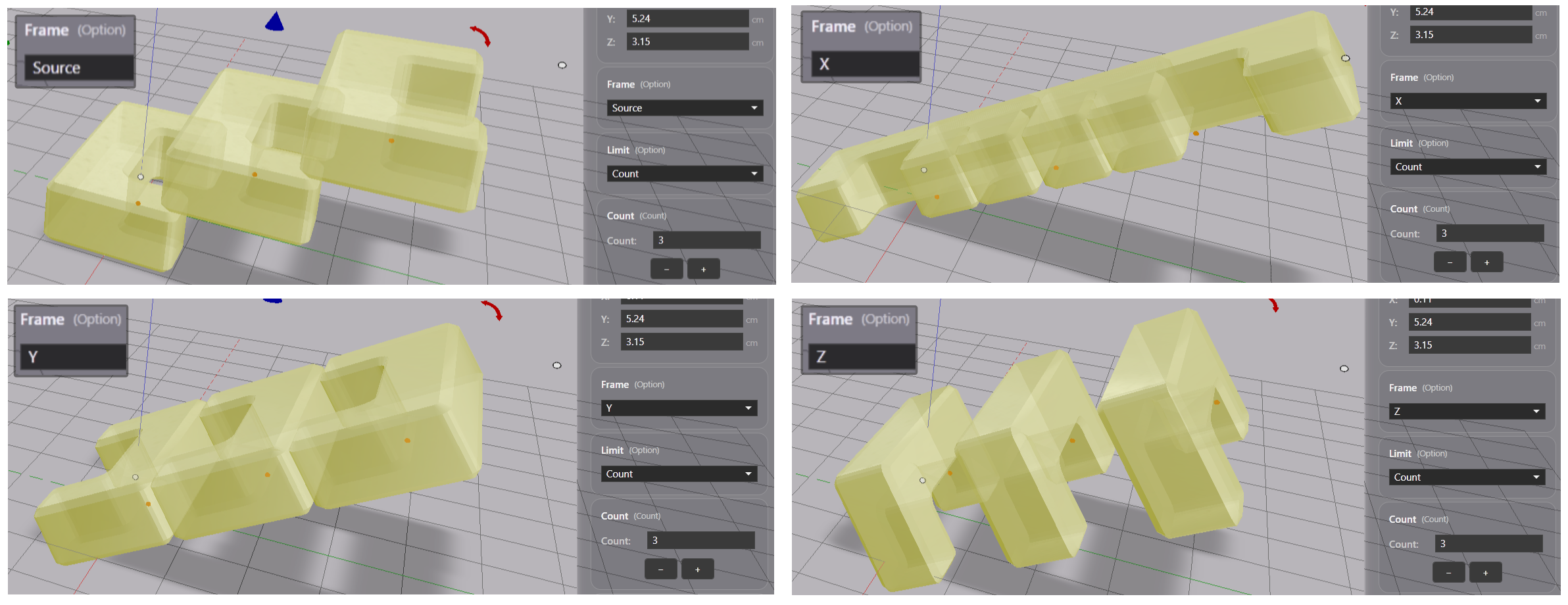
| Frame | The orientation of each copy along the line |
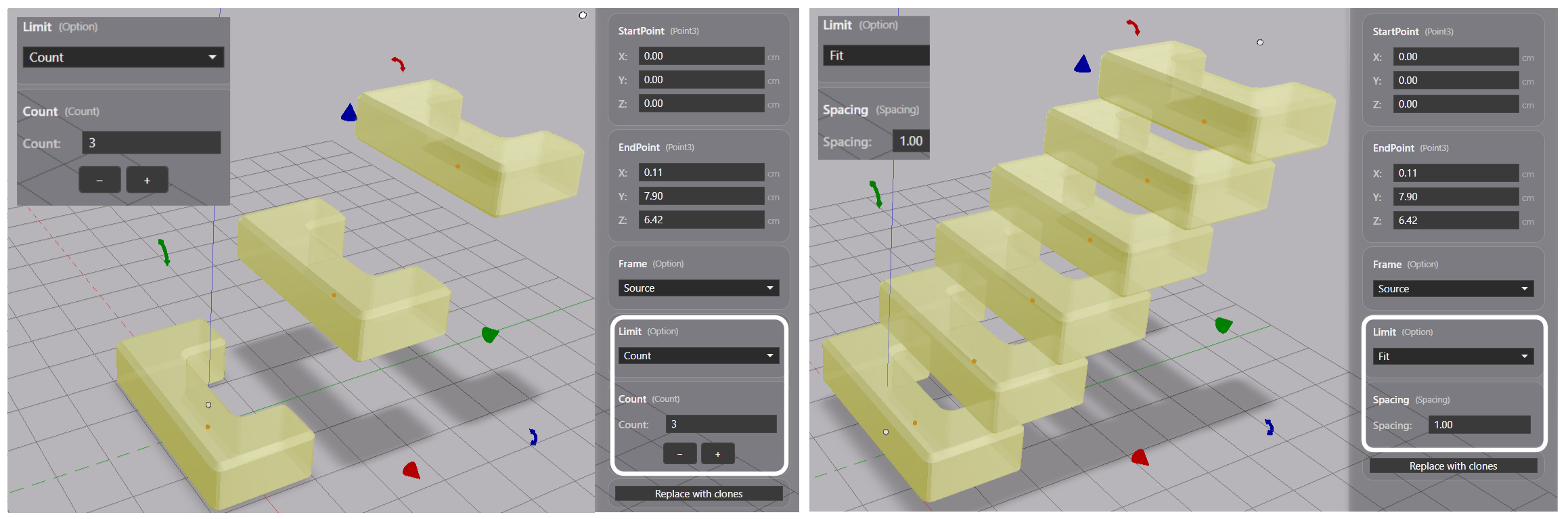
| Limit | How the number of copies is decided |
| Count | The number of copies, when Limit is Count |
| Spacing | How tightly the copies are placed, when Limit is Fit |
Frame
Source keeps every copy in the orientation of the original shape. X, Y or Z turns that axis of the shape to follow the direction of the line.
Limit
Count places a specific number of copies along the line. Fit places as many copies as fit on the line. With Fit, Spacing sets how tightly the copies are placed, as a multiple of the shape’s size. A smaller spacing places the copies closer together, and a larger spacing further apart.
Replace with Clones
Click Replace with clones in the Value References panel to swap the array for individually placed clones at the same positions. Use this when you need to move or delete one copy on its own. See Copy and Clone.
Note: An exported file contains the array as one merged solid.