The Focus Pointer
Position the 3D cursor on any surface and place objects precisely at that location.
The Focus Pointer is a 3D cursor that snaps to surfaces in the scene. Click a face, edge, or vertex and the Focus Pointer positions itself there. You can then move selected objects to that exact location, or paste copies directly onto it.
The Focus Pointer is a placement tool. Placing it on a surface does not change the drawing plane or constrain any drawing operations to that surface.
Placing the Focus Pointer
- Click the Focus Pointer icon in the toolbar to activate it.
- Click any surface in the scene. The Focus Pointer snaps to that location.
- To hide the Focus Pointer, double-click its toolbar icon.
Moving an Object to the Focus Pointer
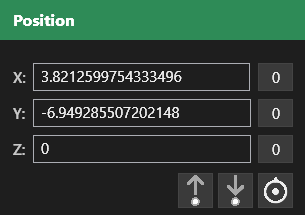
Select one or more objects, then click Place to Focus Pointer in the Position panel. The selected objects move to the Focus Pointer location.
The C/V Copy Workflow
This is the most efficient way to place repeated copies at precise surface locations.
- Select the object you want to copy.
- Press C. AdaShape stores the object’s placement reference.
- Click the Focus Pointer icon and click a surface to reposition the cursor.
- Press V. A new copy of the object appears at the Focus Pointer location.
Repeat steps 3 and 4 to place additional copies at different surface locations. Each press of V creates a new instance at wherever the Focus Pointer currently sits.
Storing a Placement
Click Place Copy in the Position panel to store the current Focus Pointer location. Later, click Place to Stored to move selected objects to that saved location. This is useful when you need to return to a specific placement after moving the Focus Pointer elsewhere.