Sweep
Merge an ordered selection of shapes into one solid that flows from shape to shape.
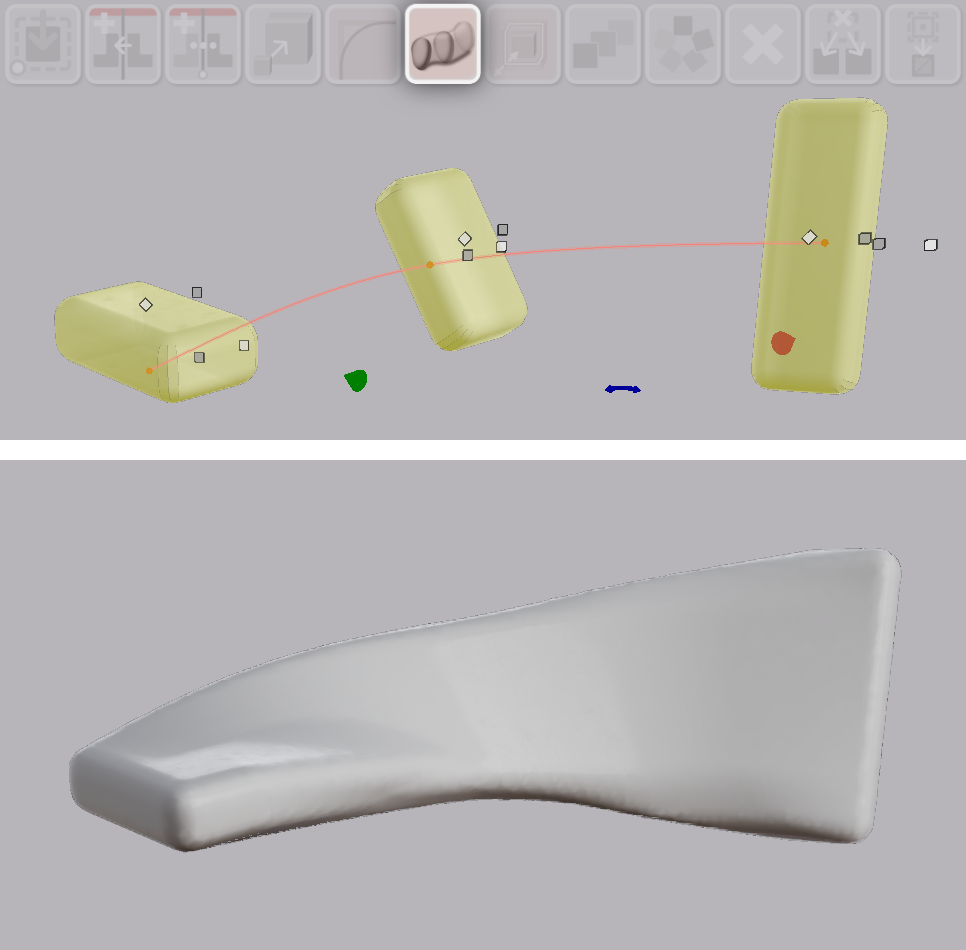
Sweep merges two or more shapes into one solid. The solid passes through each shape in the order you selected them. Between one shape and the next, the solid changes gradually from the one to the other.
Sweeping Shapes
- Select two or more shapes in the order the solid should pass through them. Hold Shift and click each shape.
- Hover over the Sweep button. A salmon-colored line previews the path through the selection.
- Click Sweep.
Sweep forms one solid from the selection.
Note: Sweep needs round, thick shapes to work well. A thin or flat shape gives a poor result.
Forking Sweeps
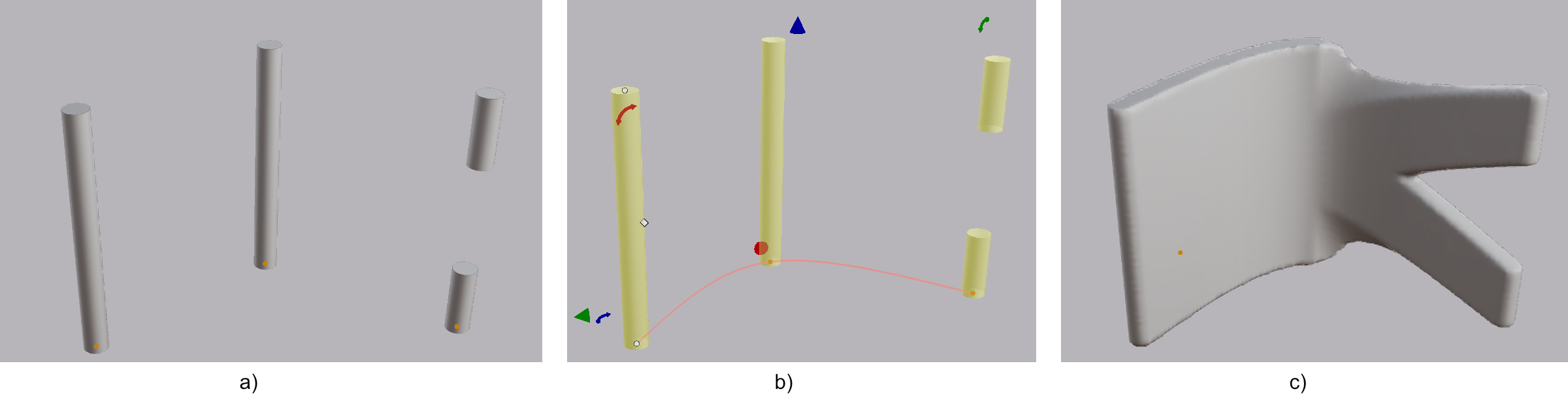
A source shape may consist of more than one volume, such as a union of separate cylinders. Sweep then forks the solid to pass through each volume.