Angle
Set the angle of revolution — from a partial arc to a full 360° solid.
Angle controls how far the profile sweeps around the rotation axis. A full 360° sweep produces a closed solid — a bottle, a wheel, a bowl. A partial sweep produces a sectioned shape — an arc, a wedge, a half-round. The range is 0° to 360°.
Setting the Angle
There are two ways to set the angle:
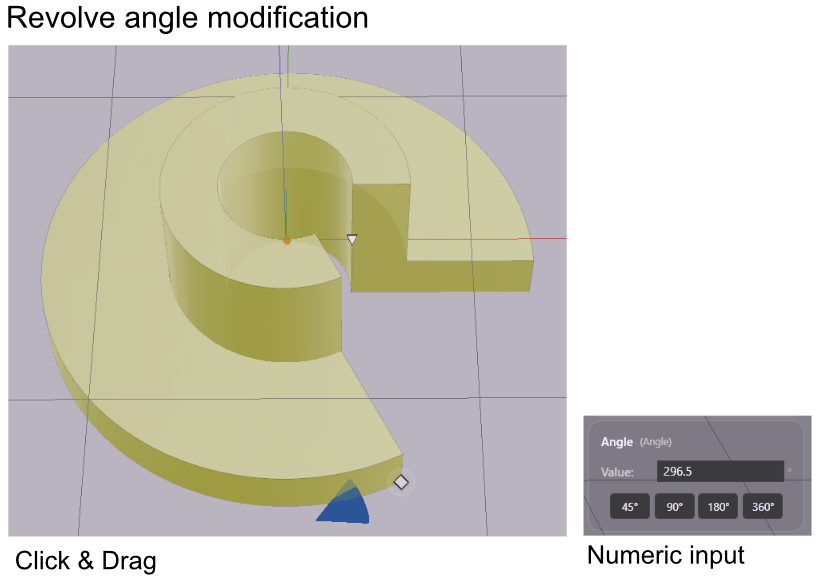
Diamond widget — when the revolve is selected, a diamond widget appears on the outer edge of the shape. Drag it around the axis to sweep the angle interactively. This is the fastest way to find the shape you want.
Numeric input — type a value directly into the Angle field in the Value References panel and press Enter. Use this when you need an exact value.
Quick-Select Presets
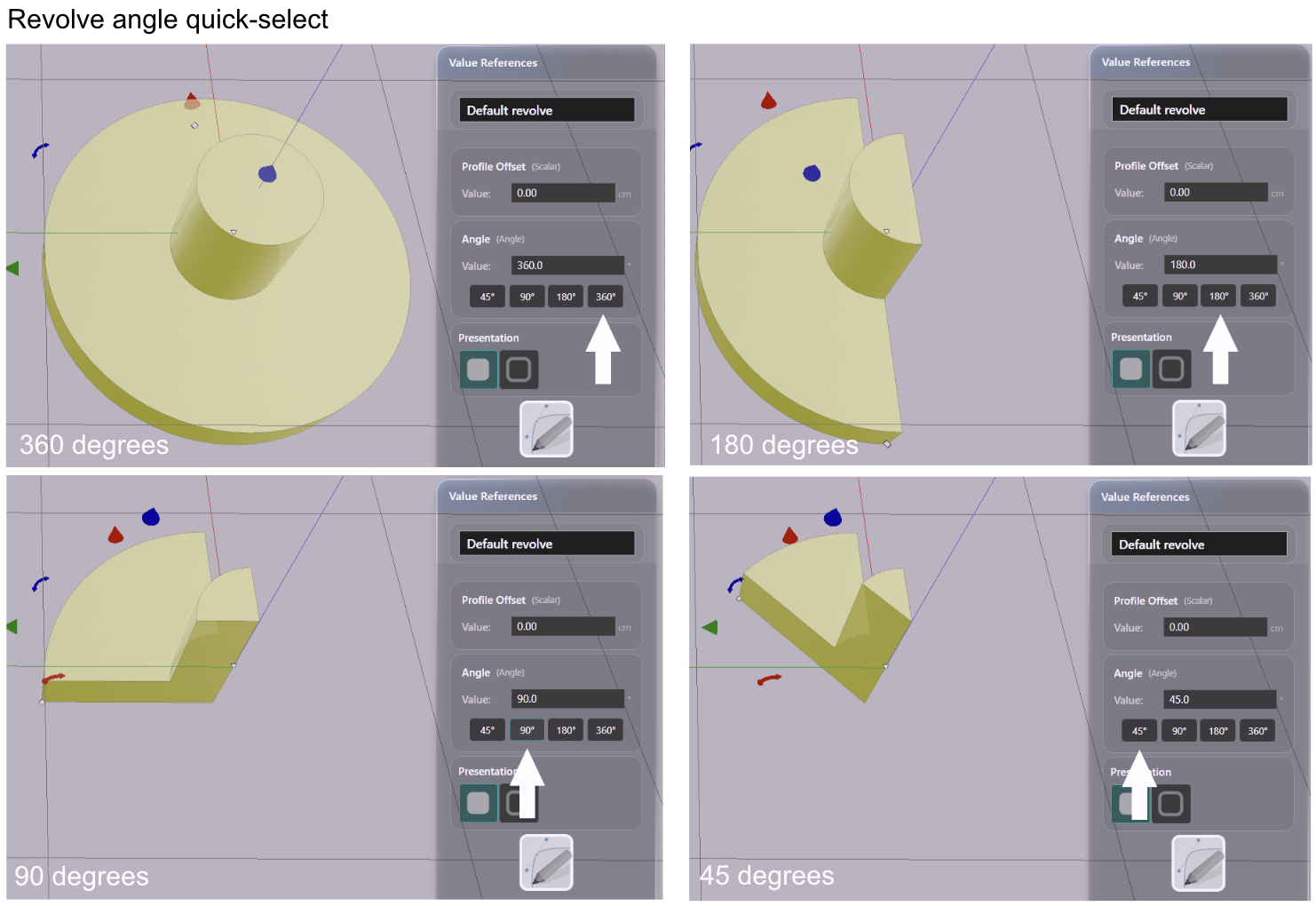
Below the numeric input in the Value References panel, a row of preset buttons gives you one-click access to common angles. Clicking a preset sets the angle immediately — the same as typing the value and pressing Enter.
| Preset | Use |
|---|---|
| 0° | Collapses the shape — useful as a start point |
| 45° | One-eighth of a full circle |
| 90° | Quarter-circle section |
| 180° | Half-round |
| 360° | Full closed solid |
Parameters
| Parameter | What it controls |
|---|---|
| Angle | Sweep of the revolution in degrees, from 0° to 360° |
Drag the widget to explore shapes quickly. Type exact values when precision matters — 270° for a three-quarter section, 120° for a third of a circle.