Select Tool
Select, move, resize, and rotate shapes in the Drawing Editor.
The Select tool is the default tool in the Drawing Editor. Use it to pick shapes, reposition them, resize them with handles, and rotate them.
Selecting a Shape
Click any shape to select it. Selection handles appear at the corners and edges. Click empty space to deselect.
Moving a Shape
Drag anywhere inside the selection to move it. To constrain movement to the horizontal axis, vertical axis, or a 45° diagonal, hold Shift while dragging — the move snaps to whichever axis you pull toward first.
Resizing with Handles
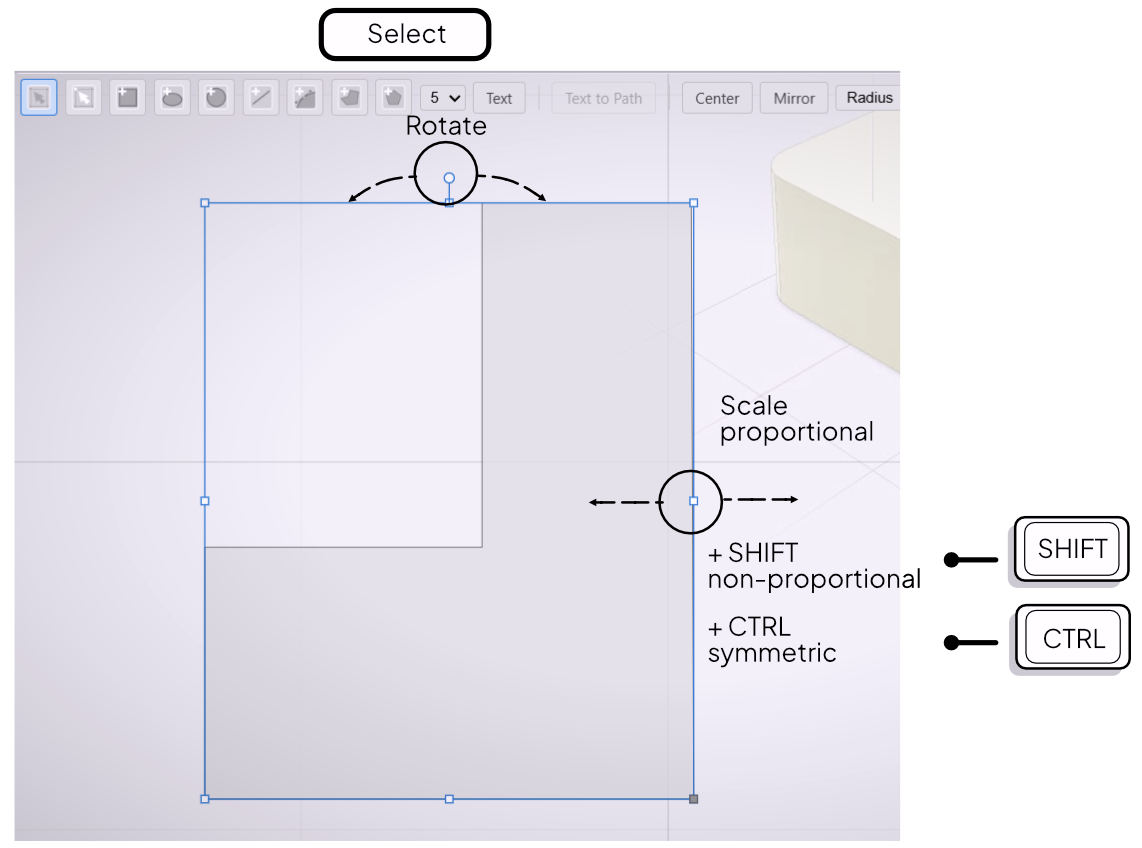
Drag a corner handle to resize the shape. By default, resizing preserves the aspect ratio. Hold Shift to scale freely in any direction without preserving proportions. Hold Ctrl to scale symmetrically from the center outward — both sides move equally as you drag.
Edge handles resize along one axis only and are not affected by the Shift or Ctrl modifiers.
Rotating a Shape
A circular handle appears above the selection. Drag it to rotate the shape freely around its center.
Deselecting
Click empty space in the canvas to deselect the current shape.