Model References
Reuse a model from the same file as a component inside another, update each reference from one source, and convert a reference to editable shapes when you need to.
A model reference lets you reuse one model as a component inside another. Build a wheel once, reference it into several places on a vehicle, and keep editing the original — each reference pulls in your changes when you update it. It is the way to assemble a design from separate models without copying shapes, and to keep parallel variations tied to a single source.
Importing a Reference
- Open the Model Browser and select the model you want to bring in.
- Click Import Reference.
The referenced model arrives as a single solid part — the whole model combined into one piece. It is read-only: modeling tools do not change its shape, but you can place and move it like any other part.
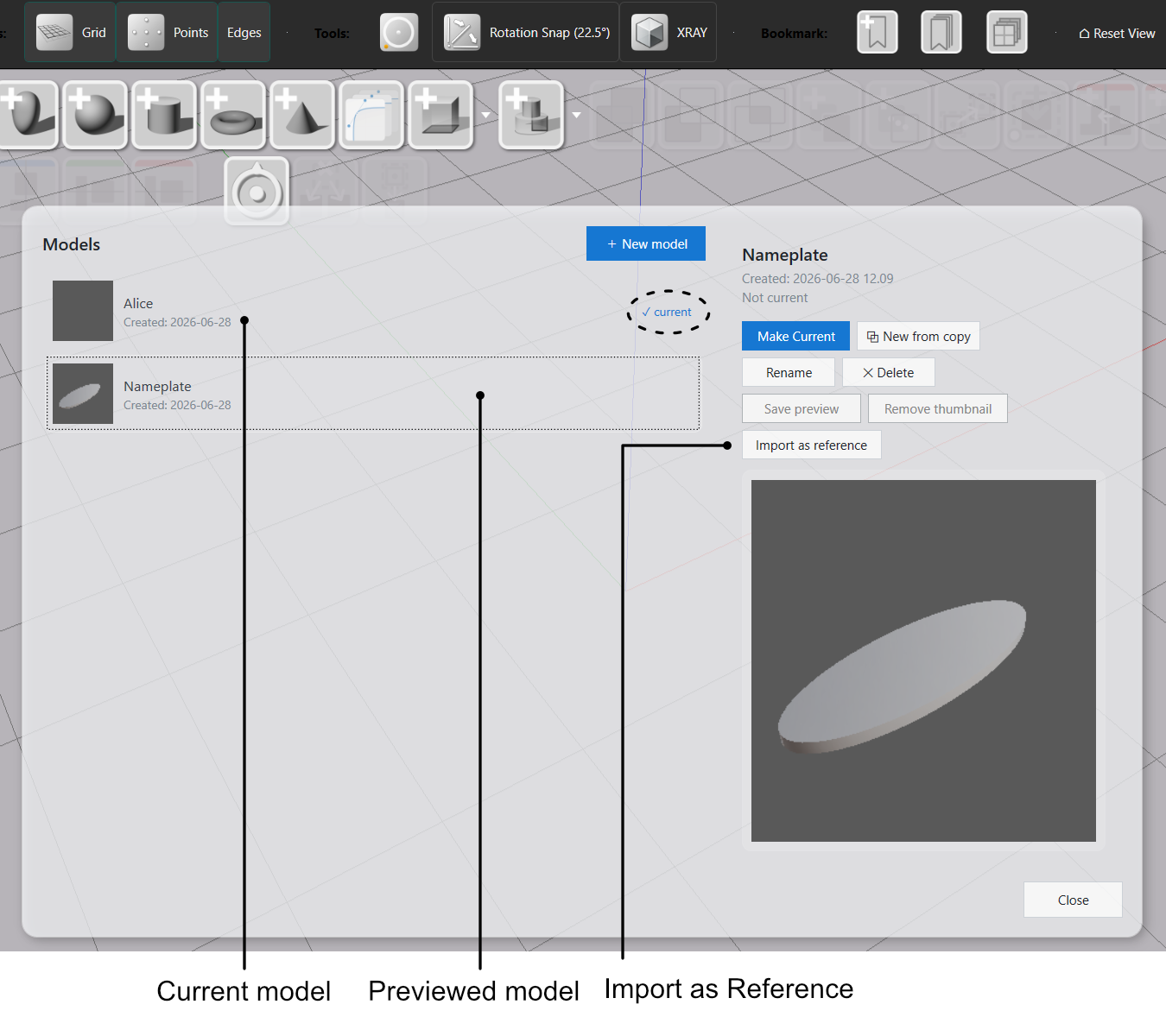
The picker greys out the current model and any model that would create a loop. If model A references model B, then B cannot reference A back.
Updating a Reference
References update manually, so a change to the source never surprises you elsewhere. When the source model changes, select the reference and click Update in the Value References panel to bring in its current shape. Update leaves the part exactly where you placed it.
Each reference updates on its own. If the same model is referenced in several places, update each reference where you want the change — one Update refreshes only the selected reference.
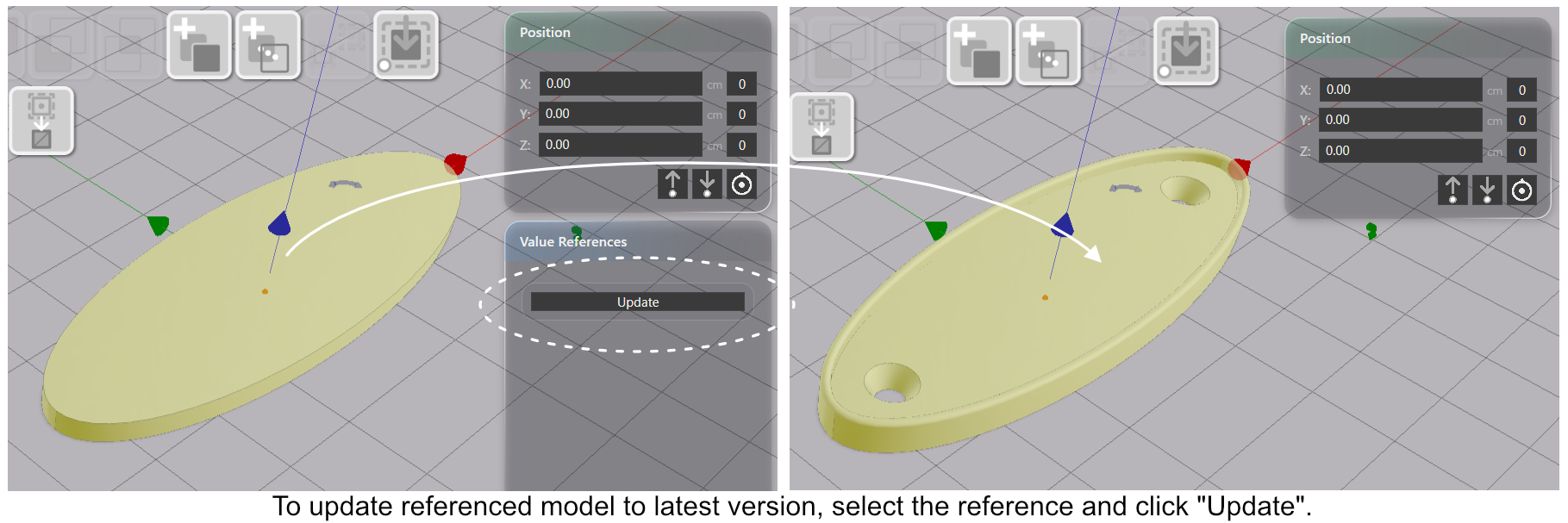
Hiding the source model in the Model Browser does not break the reference — the shape from the last update is preserved.
Converting a Reference into Editable Shapes
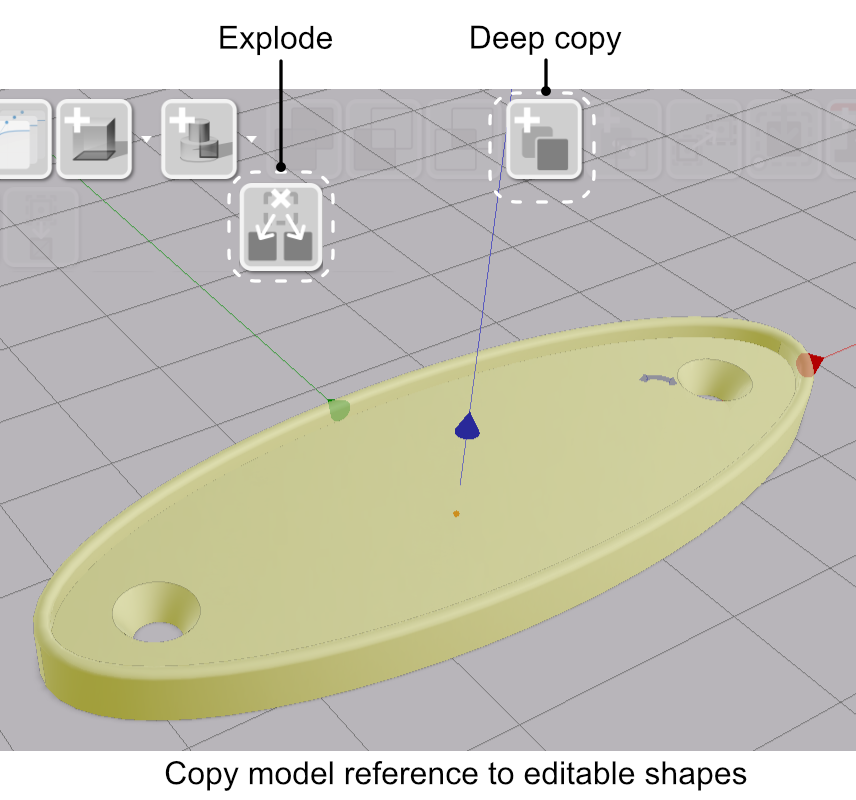
When you need to edit a referenced part directly, turn it into independent, editable shapes. With the reference selected:
| Action | Result |
|---|---|
| Copy Selected | Merges the reference into a single editable part at the same position. |
| Explode as Copies | Produces separate editable parts, one per component, each at its original placement. |
Both actions replace the reference with the result, built from the source model’s shapes as of the last Update — later changes to the source have no effect on the converted parts. Importing a reference or converting it to local shapes never changes the source model.
If the referenced model itself contains a reference, that inner reference is carried across as a reference too — it is not flattened into editable shapes.
Reference or Copy?
Both reuse a model, but they behave differently once placed:
| Model reference | Copy (Paste model parts) | |
|---|---|---|
| Link to source | Live — updates on demand | None — fully detached |
| Editable in place | No (read-only until converted) | Yes |
| Best for | A shared component used in several places | A one-off starting point you will change |
See Multiple Models per File for copying detached parts between models.