The Parts Tree
A hierarchical view of all objects in the model, showing boolean relationships and structure.
The Parts Tree panel shows the hierarchical structure of your model. When objects have been combined with boolean operations, the tree shows the result at the top and the contributing shapes nested underneath it.
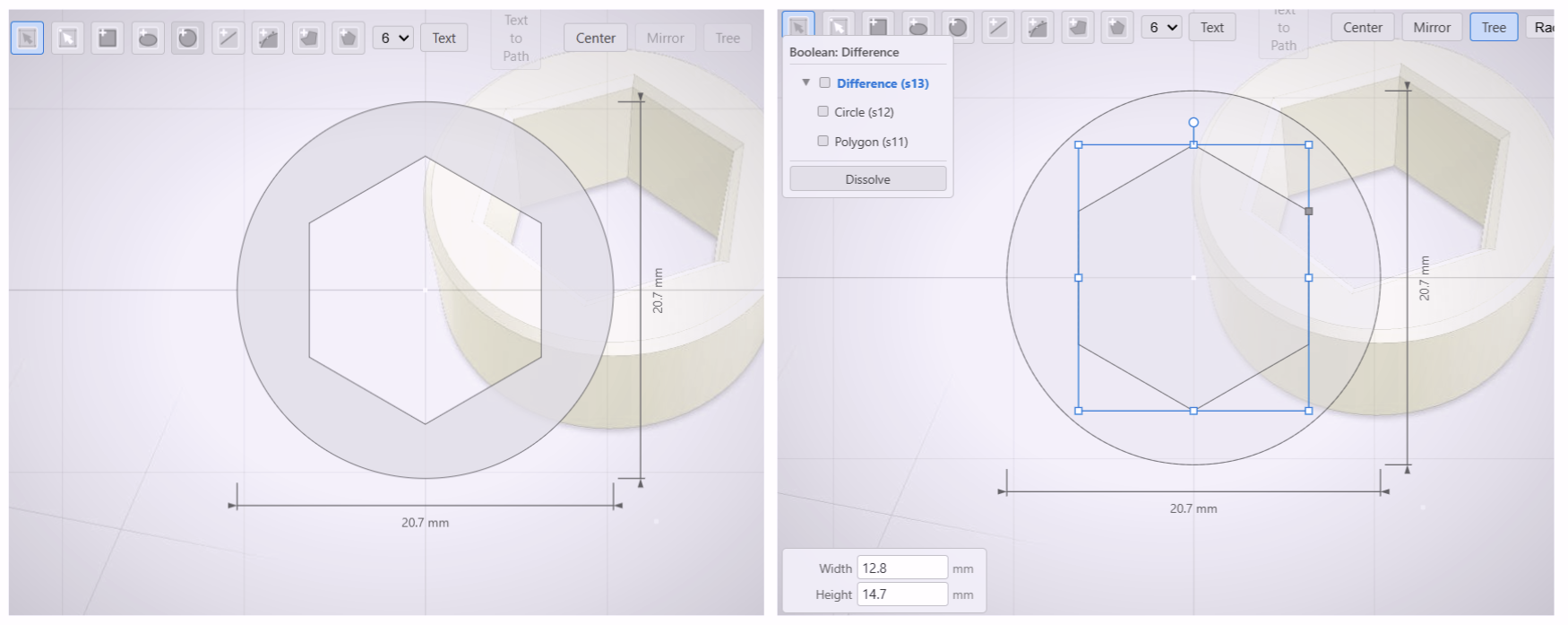
Reading the Tree
Each row in the tree is a node. Top-level nodes are independent objects in the scene. Child nodes are shapes that have been absorbed into a boolean result.
The tree shows you:
- Which objects are root-level entities and which are sub-components of a boolean.
- The operation that produced each combined result — Union, Cut, or Intersect.
- How deeply nested a shape is when booleans are stacked inside other booleans.
Selecting from the Tree
Click any node in the Parts Tree to select that object in the 3D viewport. The viewport highlights the corresponding geometry. Selecting a boolean result selects the whole combined shape; selecting a child node selects only that sub-component.
Use the Parts Tree alongside Deep Edit to navigate complex assembled models. The tree gives you the overview; Deep Edit lets you reach inside and make changes.